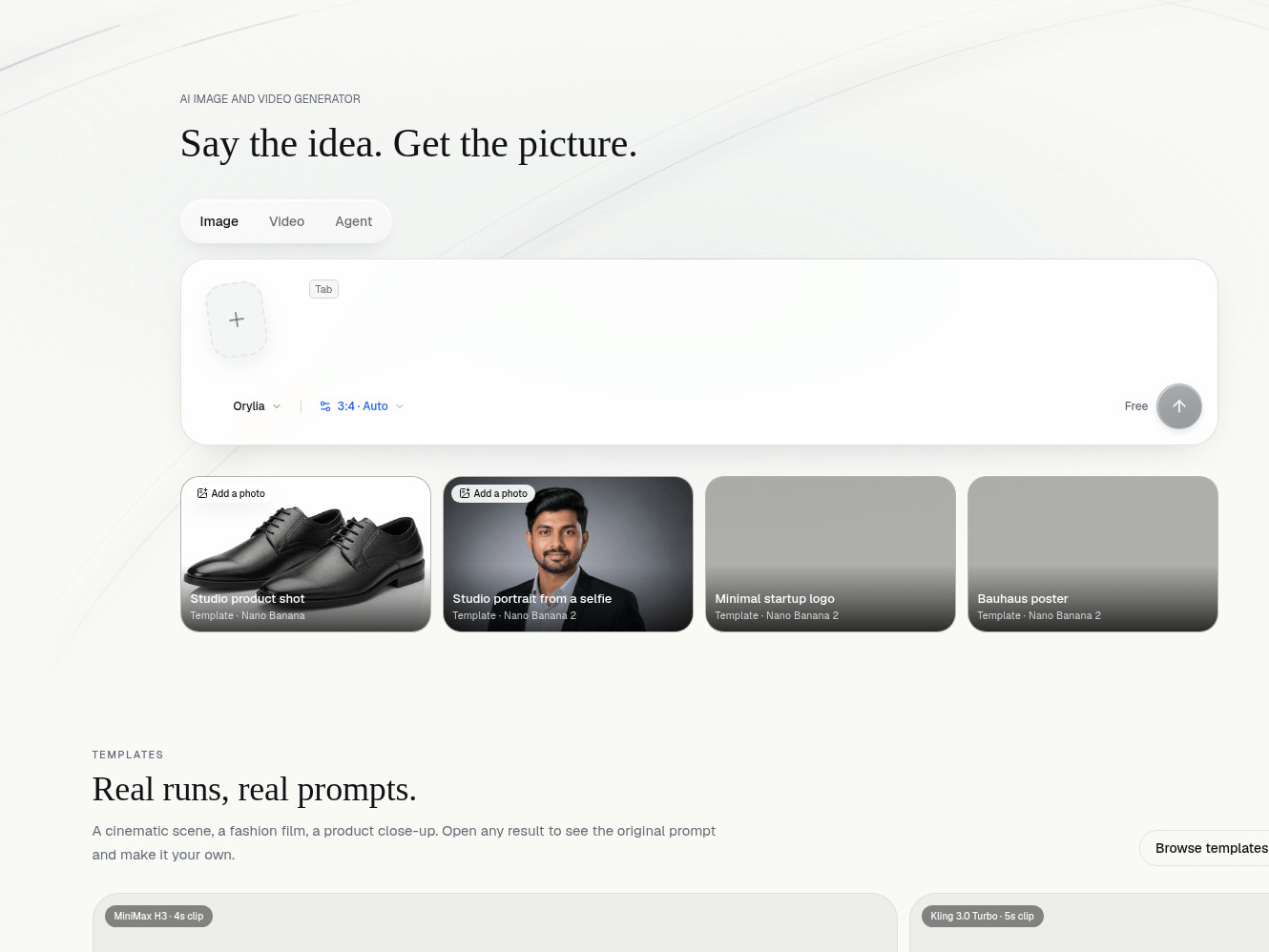
I signed up for Orylia AI with a test Gmail account through Google sign-in, no card, no password prompt, and no phone approval. On day 1 I made two photorealistic images, spent 42 credits, and could not afford a video clip. On day 2, with a fresh 50 credits, I generated a 4-second video for 44 credits, with no watermark on the clip. The images look good, the video works, and the watermark and the video prices are still the story.
Orylia AI launched on Product Hunt on 14 October 2026, and I found no independent customer reviews for it anywhere as of 13 November 2026. That is the point of this review: a brand new tool, tested on its free tier, with exact credit counts, so you can judge it before you pay.
What Is Orylia AI?
Orylia AI is a browser workspace that puts more than 40 image and video models behind one credit balance. The models named on the site include GPT Image 2.5, Nano Banana Pro, Seedream, Midjourney V8.2, Veo 3.1, Kling 4.0, and Seedance 2.5. You type a plain-language brief, an agent picks a model, writes a structured prompt, shows the credit cost before you run it, and charges nothing until you confirm. There are also more than 100 one-click tools and more than 15,000 prompt templates, according to the vendor.
The pitch is simple: one account instead of five model sites and five subscriptions. The maker, posting on Product Hunt as yeStwind, said he built Orylia because making one good image or clip meant juggling five model sites, five subscriptions, and a lot of prompt guessing. That is a vendor claim, and I could not verify it against independent user experience, because there is none published yet.

Hands-On Test: How Orylia AI Actually Performed
In line with our editorial testing policy, I signed in on 12 November 2026 at about 15:59 EET. Google sign-in worked through the account chooser and consent screen, with no password prompt, no phone-tap approval, no card, no phone or ID check, and no CAPTCHA. The header showed the display name “Jdjddb Jthf” and an avatar initial “J”, with no email address visible. Orylia gives free credits only through Google or GitHub sign-in, so the email sign-up path gets no free credits at all.
My starting balance was 50 credits, not 200. The trial allowance showed 50 out of 50, resetting in 23 hours 59 minutes, with 0 credits expiring in 30 days. The only sign-in transaction was DAILY_REFRESH plus 50 on 2026/11/12, described as “Daily allowance granted: plus 50”. The in-app Upgrade dropdown clarified the offer: 200 credits in total, granted up to 50 every 24 hours, with 150 marked “Not yet granted” after day 1. The 200 is spread over four days, not granted at sign-up. The Product Hunt page says “200 free credits at sign-up, then 50 every day”, which does not match what the app actually gave me on day 1.
Test 1 was an image with GPT Image 2.5. My prompt, verbatim, was “A cozy neighbourhood coffee shop interior in the morning, warm light, people reading, photorealistic.” Settings were 3:4, 1K, Medium, x1. The composer estimated about 15 credits. I clicked Generate at about 15:59 EET and it finished by 16:00 EET, in under about 1 minute. The output was 1K, 3:4, PNG, x1. The quality was photorealistic and the prompt was followed well: warm morning light through large windows, a woman reading in the foreground, a man reading a newspaper, people at the counter, a wooden interior, and plants. It also carried a prominent repeating diagonal “Orylia” watermark across the image, plus “Made with Orylia” at the bottom left.
The credit maths for Test 1 needs care, because Orylia shows two numbers. The result card showed “9 cr”. The transaction was GENERATION_USAGE minus 9, with GENERATION_RELEASE plus 6, described as “Reservation release: 6 credits returned”. The trial allowance fell by the full 15, from 50 out of 50 to 35 out of 50. The Credit Balance display still showed 50 immediately after Test 1, so do not trust that number alone. The allowance is the number that actually fell.
Test 2 was meant to be video, and that is where the free plan stopped me on day 1. Veo 3.1 Fast costs about 57 credits for a 5 second clip, more than the 35 trial credits I had left and more than the 50 I started with. Seedance 2.5 costs about 1,055 credits for a 5 second clip. The cheapest video model shown was Grok Imagine 1.5 from 16 credits a clip, and Seedance 2.0 Mini, the default, was about 44 credits for 480p, 4 seconds, 16:9. Neither was tested on day 1.
Instead, Test 2 used Nano Banana Pro, the 33-credit version. There is also a separate “Nano Banana Pro Official” at 114 credits, which I did not use. I used the same coffee-shop prompt, 3:4, 1K, x1. The composer estimated about 33 credits and the actual charge was 33 credits, matching exactly. I clicked Generate at 16:02 EET, it was at 62 percent with elapsed time 01:38 at 16:03, and it finished by 16:04 EET, in about 2 minutes. The output was 1K, 3:4, PNG, x1. Again the quality was photorealistic: a man gesturing in the foreground, a woman reading a newspaper at a table, a woman with a laptop at the bar, and a “COFFEE” sign. The composition felt more posed and staged than Test 1. It carried the same repeating diagonal “Orylia” watermark and “Made with Orylia” at the bottom left.
My ending balance at 16:05 EET was Credit Balance 8, trial allowance 2 out of 50, resetting in about 23 hours 53 minutes, with 6 credits expiring in the next 30 days, and 150 trial credits “Not yet granted”. Net spend from the 50 starting balance was 42 credits (9 plus 33), matching the transaction rows. Trial allowance consumption was 48 (the 15 reservation plus 33), leaving 2, with no 6-credit release applied to the allowance. Two images, and I was nearly out of day-1 credits.
Day 2 changed the video verdict. I signed back in on 13 November 2026 at about 17:30 EET, and the 12 November Google session was still active, with no password prompt. My balance was 56 credits, not the 58 I expected: 8 left from day 1, plus a 50-credit daily refresh, minus a 2-credit DAILY_EXPIRE. The trial allowance was 50 out of 50, resetting in 23 hours 59 minutes, with 100 trial credits still not yet granted. I tried Grok Imagine 1.5 first, because the pricing page lists it from 16 credits a clip, but that figure was wrong: the model picker had no Grok Imagine 1.5 text-to-video option, only the original Grok Imagine at about 72 credits at its cheapest settings, and the 1.5 model page says it is image-to-video only, so every clip starts from a photo. My text-to-video attempt hit an Insufficient credits dialog, blocked by cost, not by a plan limit. Veo 3.1 Fast, at about 57 credits a clip, was still more than both my 50-credit allowance and my 56-credit balance, so I did not attempt it.
Seedance 2.0 Mini worked. I used the same coffee-shop prompt, 480p, 4 seconds, 16:9. I submitted it at about 17:32 EET, it was at 41 percent after 1 minute 2 seconds, and it finished by 17:34 EET, in about 2 minutes. The output was a 4-second mp4, 480p, 16:9, labelled 44 credits and dated 2026/11/13 17:32. I played it twice: a steaming latte cup, then a woman reading by a sunny window, then a coffee-shop interior with people reading, all on prompt. It has audio, no speech, and no watermark visible in any frame, including an enlarged mid-frame crop, unlike the day-1 images. My balance after was 12 credits, trial allowance 6 out of 50. Two display quirks to note: the header still showed the stale 56 right after completion and updated to 12 on the next navigation, and the Transactions tab showed no minus 44 row yet at 17:35, only the day-2 DAILY_EXPIRE minus 2 and DAILY_REFRESH plus 50. The 44-credit charge is confirmed by the allowance falling to 6 out of 50 and the video’s own 44-credit label. The pricing table still lists 0 video clips a day on Free, but it did not block this generation. One more pricing conflict: the pricing page lists Seedance 2.0 Mini at 90 credits a clip, while the generator charged 44 credits at 480p, 4 seconds.

Free Plan vs. Real Pricing (And Hidden Limits)
The free plan costs $0 and needs no card, but only if you sign in with Google or GitHub. It gives 50 trial credits a day, up to 200 in total over four days. Daily limits on Free are GPT Image 2.5 3 a day, Nano Banana Pro 1 a day, Seedream 5.0 Pro 1 a day, and the Orylia Free house model unlimited up to 512px. You get 5 downloads a day, 1 project, and 1 subject. Video is listed as 0 clips a day on Free for every video model, and the Orylia Agent is 0 runs a day on Free. That is why I could not test video at all on day 1, but on day 2 I generated a Seedance 2.0 Mini clip for 44 credits, so the 0-clips entry did not actually block generation. Veo 3.1 Fast at 57 credits still costs more than the 50-credit daily allowance.
Paid plans, checked on the official pricing page on 12 November 2026, using the monthly billing figures:
| Plan | Monthly billing | Annual billing | Monthly credits |
|---|---|---|---|
| Free | $0 | $0 | 50 a day, up to 200 total |
| Lite | $19 a month | $15 a month, $180 a year, save 21% | 1,000 |
| Plus | $39 a month | $30 a month, $360 a year, save 23% | 2,500 |
| Pro | $89 a month | $60 a month, $720 a year, save 33% | 6,000 |
| Max | $159 a month | $80 a month, $960 a year, save 50% | 15,000 |
Here is a pricing conflict you need to see. An earlier research fetch on 12 November 2026 listed the monthly credits as Lite 4,500, Plus 10,000, Pro 25,000, and Max 50,000. The live pricing page figures I am using in the table above are Lite 1,000, Plus 2,500, Pro 6,000, and Max 15,000. The annual dollar prices match in both sources ($15, $30, $60, and $80 a month). The screenshot below is the yearly view of the same pricing page, and it lists 4,500, 10,000, 25,000, and 50,000 monthly credits, which is the higher set of figures, not the table above. Do not buy on the credit count alone until Orylia makes the two views agree.
Per-run costs on the official pricing page are GPT Image 2.5 at 15 credits an image (1K), Nano Banana Pro at 33 credits an image (1K), Veo 3.1 Fast at 57 credits a clip (720p, 4 seconds), Seedance 2.5 at 1,055 credits a clip (1080p, 5 seconds), Grok Imagine 1.5 from 16 credits a clip (720p, 6 seconds), and Kling 3.0 at 82 credits a clip (720p, 5 seconds). Two of those figures did not survive my day-2 test: Seedance 2.0 Mini is listed at 90 credits a clip, but the generator charged 44 credits at 480p, 4 seconds; and Grok Imagine 1.5 is listed from 16 credits a clip, but the generator lists about 123 credits a clip at 720p, 8 seconds, and the model page says it is image-to-video only. Credit packs never expire: Starter $30 for 2,000 credits, Pro $80 for 6,500, Studio $200 for 18,000, and Master $800 for 80,000. Paid plans include a 7-day money-back guarantee on the pricing page. Prices are in USD, with tax normally added at checkout.
I checked for promos on the official pricing page, in the in-app Upgrade dropdown, and in the Product Hunt launch post, and I found no promo code, launch discount code, or student deal on any official source. The only deals are the annual billing savings of 21 to 50 percent and the trial credits. I did not use third-party coupon sites, and I am not inventing a code. If you see an Orylia code elsewhere, treat it as unverified until Orylia itself publishes it.
Terms flag: paid plans auto-renew via Stripe, monthly credits expire 30 days after issue, and free-plan daily limits, resolutions, watermarking, and model availability can change without notice. The terms also say outputs generated for your account are yours, including for commercial purposes, subject to model-specific restrictions shown in the studio, while paid plans list a commercial licence as a plan feature.

Pros
- Fast, photorealistic images: GPT Image 2.5 finished in under 1 minute and Nano Banana Pro in about 2 minutes, and both followed the same coffee-shop prompt well.
- Exact cost shown before a run: the composer showed about 15 credits for Test 1 and about 33 for Test 2, and Test 2 charged exactly 33.
- Free start with no card: Google sign-in gave 50 credits on day 1, with no password prompt, no phone approval, and no payment details.
- Video works on the free plan, with no watermark: Seedance 2.0 Mini generated a 4-second 480p clip for 44 credits in about 2 minutes, on prompt, with audio, and no watermark visible in any frame.
- One balance for 40 plus models: image and video models share a single credit balance, with the agent picking a model and writing the prompt.
Cons
- Prominent watermark on free images: both of my images carry a repeating diagonal “Orylia” watermark plus “Made with Orylia”, and watermark-free downloads are paid only.
- Flagship video stays out of reach on free: Veo 3.1 Fast costs 57 credits a clip against a 50-credit daily allowance, Grok Imagine 1.5 is image-to-video only and costs about 123 credits at 720p, 8 seconds, and Seedance 2.5 costs 1,055, even though the pricing table lists 0 clips a day on Free.
- Confusing credit counts: the 200 trial credits arrive as 50 a day over four days, Test 1 showed 9 credits charged while the allowance fell by 15, and the pricing page shows two different monthly credit sets.
- Agent is locked on free: the Orylia Agent allows 0 runs a day on Free, so the headline agent feature cannot be tried without paying.
What Real Users Are Saying
I have to be direct here: I found no independent customer reviews for Orylia AI. I checked G2, Trustpilot, Product Hunt, Reddit, Hacker News, X, YouTube, AIFastSeek, Creati.ai, and Toolify, and none of them returned a verified user review. G2 has no Orylia profile, the hits were O’Reilly and Ory, a different identity product. Trustpilot has no profile for orylia.ai, the hits were Orelia Jewellery and Originality.ai, different companies. AIFastSeek shows “Orylia AI Reviews (0)” and “No reviews yet. Be the first to write one!” Creati.ai shows a “5/5” label with a prompt to leave a comment and no review text, so do not cite that as a 5 out of 5 user rating. A directory called NeedAITool shows “orylia.ai 4.8” with no review count, no reviewer name, and no review text, so I am not citing that as a customer score either.
What exists instead is vendor and directory material. The maker says the agent picks the model, writes a readable prompt, names cheaper and stronger alternatives with prices, and charges nothing until you confirm. Directories repeat the free offer, the one-workspace pitch, and the daily allowance. A Medium price check from November 2026, by an author who builds one of the tools compared, found 200 free credits usable up to 50 a day, an elf clip starting at 41 credits, about four 5-second clips in total, and a visible watermark on free-tier results. That is a price check, not a hands-on Orylia review. None of this is independent user evidence, so I am not presenting it as such. I also found no billing, credit, or cancellation complaints anywhere, but that only reflects the absence of reviews, not satisfied users.
Who Should Use Orylia AI (And Who Should Skip It)
Use Orylia AI if you want to try several flagship image models from one account, you are happy to spend your 50 daily credits on one or two images a day, or one short video clip, and you do not mind a watermark while you are testing. The image quality in my test was genuinely good, the cost was shown before each run, and sign-in was the smoothest part of the whole test. If you came for video, know the limits: the pricing table says 0 clips a day on Free, but I did generate a 4-second Seedance 2.0 Mini clip for 44 credits, so cheap video works, while Veo 3.1 Fast and Grok Imagine 1.5 still cost more than a full day of free credits. Skip it if you need clean, client-ready images without paying, because the free watermark on images is prominent and removal is paid only. And if you want independent reviews before you trust a new tool with a subscription, wait: there are none yet, and the pricing page itself shows two different credit counts depending on where you look.
FreeLipSync Review
If you only need fast audio dubbing and mouth movement synchronization for video clips, see our FreeLipSync review.
Frequently Asked Questions
Is Orylia AI really free?
Yes, the free plan costs $0 with no card required, but only if you sign in with Google or GitHub. Email sign-up gets no free credits. You get 50 trial credits a day, up to 200 in total over four days, and in my test I started with 50 and had 2 left after two images. On day 2 I had 56 credits after the refresh and spent 44 of them on a 4-second video, leaving 12.
Does Orylia AI add a watermark on the free plan?
Yes, on images. Both images I generated carried a prominent repeating diagonal “Orylia” watermark plus “Made with Orylia” at the bottom left. Watermark-free downloads are listed as a paid-plan feature on the official pricing page. The 4-second video I generated on day 2 had no watermark visible in any frame.
How much does Orylia AI cost per month?
Paid plans start at Lite $19 a month billed monthly, or $15 a month billed annually at $180 a year. Plus is $39 a month or $30 a month annually, Pro is $89 a month or $60 a month annually, and Max is $159 a month or $80 a month annually. The monthly credit amounts conflict between the monthly and yearly views of the pricing page, so check the view you are buying from.
Can you use Orylia AI creations commercially?
The terms say outputs generated for your account are yours, including for commercial purposes, subject to model-specific restrictions shown in the studio. Paid plans also list a commercial licence as a plan feature. Free downloads are watermarked, so check the model restrictions in the studio before using a free image commercially.