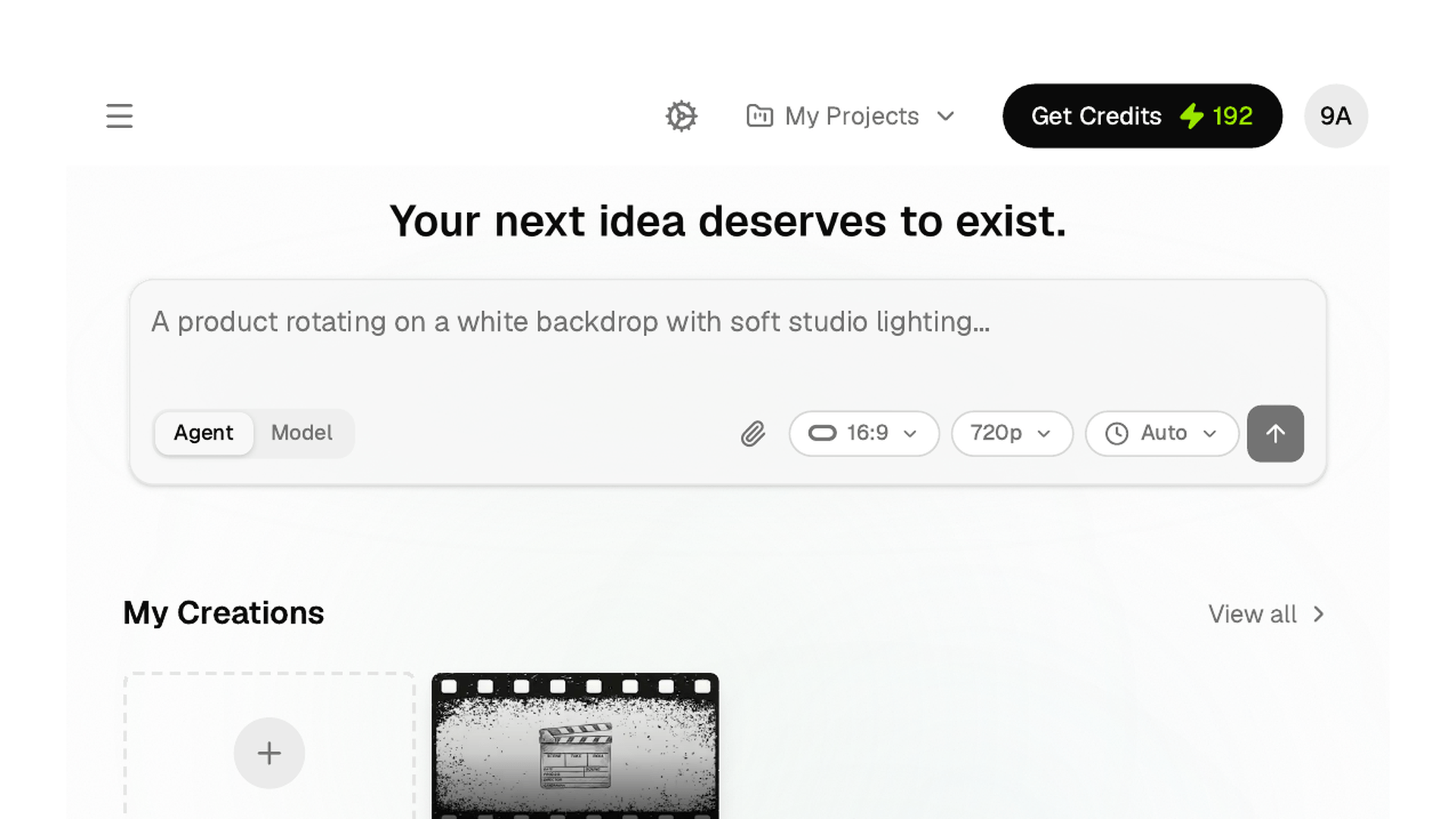
I signed up for Pixo on its free plan, no credit card required, and received 200 free credits. Pixo sells itself as an AI video director: you describe an idea in chat and it writes the script, builds the storyboard, generates the clips, voiceover and music, and assembles a finished video. Here is the problem I hit within five minutes: the free plan cannot generate a single video. The 200 credits only buy images.
That is the whole review in one sentence, but the details matter, because the image tool itself works well and the pricing is unusually transparent. I tested the agent mode, the image playground, and text to video, and I checked every tier on the official pricing page. If you want an AI video maker you can actually use for free, this is not it. If you want cheap AI images with a small watermark, it might be.
What Is Pixo?
Pixo is a browser based agentic AI video platform from Pensieve Pte. Ltd. in Singapore, founded by Yanfei Dong and Yang Zhang. It was founded in 2025 and announced in the Iterative W26 batch in January 2026. You chat with an AI Director agent, it researches a topic, writes a script, builds a shot by shot storyboard, generates images, video clips, voiceover, sound effects and music per shot, keeps characters, products, locations, voices and visual styles consistent, and assembles a finished video on a multi-track timeline for export as MP4.
Under the hood it routes work to third party models, including Veo 3.1 and Sora 2 for video, Seedance and Kling 3.0, Nano Banana Pro and Imagen 4 for images, and ElevenLabs and Suno for voice and music, plus lip sync and Topaz upscaling. The pitch is that one chat replaces a whole editing suite. My test shows the pitch only holds if you pay.

Hands-On Test: How Pixo Actually Performed
In line with our editorial testing policy, I signed up by email on 13 November 2026. No card, phone number, or ID check was required, and the dashboard showed 200 credits at the start and 192 credits at the end.
Test one, Agent mode video: I asked for a cinematic drone shot over a coastal city at golden hour, waves crashing below the cliffs, warm golden light, slow sweeping camera movement, on the defaults of Agent mode, 16:9, 720p. After about a minute the project Golden Coastal Glide opened with a script draft, and then the agent stopped: video generation could not start because an active plan or credit pack is required for video generations, and nothing had been generated yet. It cost 2 credits for the script step and produced no video at all. The page offered an upgrade and a seven day trial, which I did not take.
Test two, Playground image generation: I asked for a cinematic poster style still of a coastal city at golden hour, drone view over cliffs and waves, warm golden light, photorealistic, using Nano Banana 2.1 at 1:1 and 2K. It finished in under a minute for 6 credits. The result is genuinely good: a photorealistic aerial coastal city with cliffs, waves, a harbour and a low sun, closely matching the prompt. The download button works on the free plan, and the image downloaded at 2048 by 2048. There is a small Pixo watermark at the bottom right, which contradicts the no watermark claim on Pixo’s own comparison pages.

Test three, Playground text to video: I asked for a slow cinematic drone shot sweeping over a coastal city at golden hour, using Seedance 2.0 Fast at 16:9, 720p, 8 seconds, quoted at 98 credits. It was blocked instantly with a toast saying to add a plan or credit pack to use video generation. It cost 0 credits and generated nothing. Video is blocked in the Playground as well as in Agent mode, so there is no free route to a video on Pixo at all.
What worked well was the image tool: fast, accurate, cheap at 6 credits, and the download works. What did not work was the product itself. An AI video tool whose free plan cannot make video is a demo of the image tool with a video shaped hole in it.
Free Plan vs. Real Pricing (And Hidden Limits)
The free plan gives you 200 credits, enough for about 50 images. Videos, voice clips and music clips are not included at all, full AI model access is not included, no maximum resolution is stated, and you get 1 concurrent generation, 3 projects, and community support only. Plan credits reset at each renewal and do not roll over. Purchased top-up credits never expire while the account is in good standing.
Paid plans, checked on the official pricing page on 13 November 2026. Prices are shown in euros:
| Plan | Monthly billing | Yearly billing | Credits a month |
|---|---|---|---|
| Free | 0 euros | 0 euros | 200, images only |
| Basic | 11.99 euros | 8.99 euros, billed 107.88 euros a year | 1,000, about 11 videos |
| Pro | 43.99 euros | 35.99 euros, billed 431.88 euros a year | 4,200, about 50 videos, 4K |
| Max | 211.99 euros | 175.99 euros, billed 2,111.88 euros a year | 22,000, about 261 videos, 4K, API |
Top-up credit packs are also sold: 1,000 credits for 13.99 euros, 2,000 for 22.99 euros, and 3,000 for 35.99 euros. Pixo’s own pricing FAQ says a 5 second HD video costs roughly 50 to 250 credits depending on the model, and an image costs 1 to 6 credits, which matches my test exactly: 6 credits for the image, 98 credits quoted for an 8 second 720p video. Paid subscriptions auto-renew, purchased credits are non-refundable except where required by law, and your prompts and outputs may be sent to third party AI providers such as ByteDance, Kuaishou, and Google. You keep ownership of what you create, and paid plan output can be used commercially. Free plan commercial use is not stated as allowed.

Pros
- Image generation works well: a photorealistic coastal city still in under a minute for 6 credits, closely matching the prompt.
- Free image downloads work: the 2048 by 2048 image downloaded on the free plan with no payment details entered.
- Transparent pricing: every tier, credit count, top-up pack, and the no rollover rule are stated on the official pricing page.
- Serious model roster: Veo 3.1, Sora 2, Seedance, Kling 3.0, Nano Banana Pro, ElevenLabs, and Suno behind one chat.
Cons
- No free video at all: Agent mode and Playground video are both blocked on the free plan, despite the 200 credit balance.
- Charged for a failed video: the Agent mode script step cost 2 credits and produced nothing watchable.
- Watermark on free images: a small Pixo logo sits at the bottom right, despite the no watermark claim on Pixo’s own pages.
- Credits do not roll over: unused monthly plan credits reset at each renewal.
- Inputs leave Pixo: prompts and outputs may go to third party providers, and Pixo says it does not control their data practices.
What Real Users Are Saying
There is almost no independent user feedback on Pixo yet. I found 0 scored reviews on G2, Trustpilot, Capterra, Product Hunt, or Reddit for pixo.video. Do not confuse it with Pexo, Pixso, or Pixo VR, which are different products with their own review scores. Pixo launched on DevHunt on 6 October 2026 with 19 upvotes and 1 comment, and Aigregator lists 0 reviews. The only user comment I found is on There Is An AI For That, where one user called the agent handy and more streamlined than canvas based AI tools, with a learning curve at the start. Legit.Show gives Pixo 93 out of 100 on a production readiness benchmark measured from the public site, which is a technical check, not user reviews.
With no paying customer base visible anywhere, my own test is the main evidence: the free plan is a working image generator attached to a video product you cannot try for free.
Who Should Use Pixo (And Who Should Skip It)
Use Pixo if you want cheap AI images from strong models and you do not mind a small watermark: 200 free credits buys about 50 images at the rate I paid, and the Basic plan at 11.99 euros a month is a fair price for 1,000 credits if you generate images regularly. Skip it if you want to test AI video before paying, because there is no free way to do that here, and the 2 credit charge for a video attempt that goes nowhere is a bad first impression. If free video is the requirement, look at OpenClips, which I reviewed earlier and which generates real video clips on its free plan, or try Pexo, the closest direct rival, and check whether its free tier actually renders video before you commit.
Perspecto Review
If you need spatial perspective rendering and 3D scene composition tools, check our Perspecto review.
Frequently Asked Questions
Is Pixo really free?
Yes, the free plan gives 200 credits with no card required, but only for images. Video, voice, and music generation all need a paid plan or a credit pack, so the free plan cannot make a video.
Does Pixo add a watermark on the free plan?
Yes. My generated image has a small Pixo logo at the bottom right. Pixo’s own comparison pages claim no watermark, but my test shows otherwise.
How much does Pixo cost per month?
Basic costs 11.99 euros a month, or 8.99 euros a month billed yearly. Pro costs 43.99 euros a month, or 35.99 euros billed yearly, and Max costs 211.99 euros a month, or 175.99 euros billed yearly. Top-up packs start at 13.99 euros for 1,000 credits.
Can you use Pixo creations commercially?
On a paid plan, yes. Pixo says you keep ownership of what you create and paid plan output can be used commercially, including YouTube monetization and client work. Free plan commercial use is not stated as allowed, and third party model provider terms also apply to output.