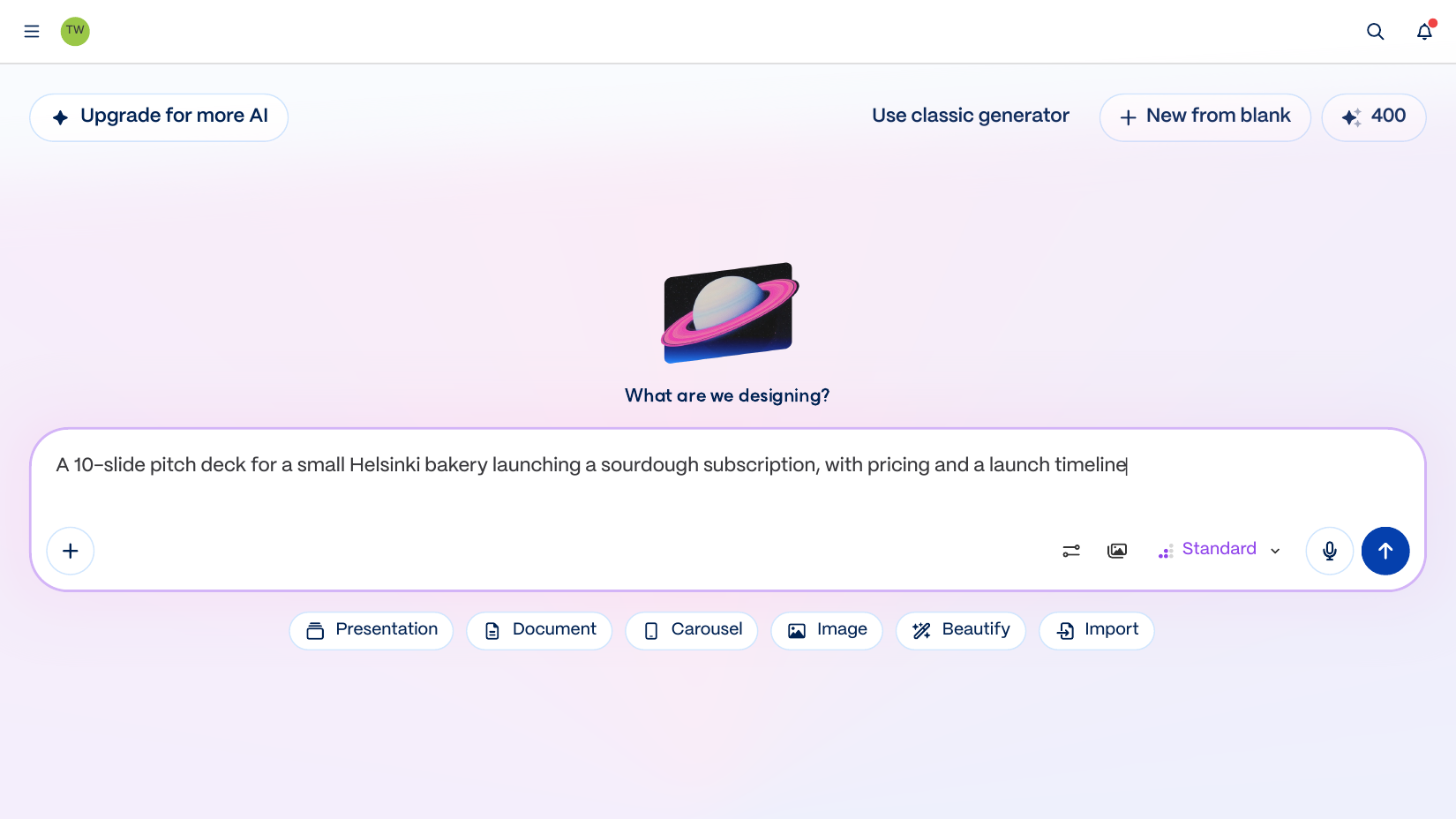
I signed up for Gamma on 12 November 2026 to answer one question: does its free plan give you a usable deck, or does it run out before you finish one? The short answer is that it does give you a real deck. I generated a 10 slide pitch deck in about 4 minutes, edited it down to 7 slides, and exported it as both PDF and PowerPoint, all on the free plan. The catch is the cost in credits and the badge on every export, plus a billing reputation that made me glad I never entered a card.
In my test, the free plan started with 400 credits and I finished with 211 credits. The deck itself cost 179 credits, the edit cost 10, and the exports cost nothing. That means the free allowance covers roughly two full decks like mine, and then it is gone, because those 400 credits never refill.
What Is Gamma?
Gamma is an AI presentation maker from Gamma Tech, Inc. It was founded in 2020 by Grant Lee, Jon Noronha and James Fox, all former Optimizely colleagues. The company added generative AI in March 2023, and its current version, Gamma 5, was released in October 2026. By that launch the company reported more than 100 million users and more than 100 million dollars in annual recurring revenue.
Instead of a blank slide, you describe what you want in plain words, or paste text, or import a PDF or PowerPoint file. Gamma returns a finished deck, document or website built from scrollable cards, not classic slides. You can present it from a link, edit it with an AI agent in a chat panel, and export it to PDF, PPTX, PNG and Google Slides. It sits between a slide tool and a document tool, and it is aimed at people who need a good looking first draft fast, not at designers who want pixel level control.
Hands-On Test: How Gamma Actually Performed
In line with our editorial testing policy, I signed up with a Gmail address on 12 November 2026 (disposable email addresses did not receive Gamma’s confirmation link during my test). After clicking the email verification link and entering a name and password, Gamma ran a short onboarding survey with no Skip button, so I selected personal use before landing in the workspace.
My first task was a prompt to deck test. I typed: A 10-slide pitch deck for a small Helsinki bakery launching a sourdough subscription, with pricing and a launch timeline. The agent asked three setup questions about audience, pricing and launch timeline, and I left all three at the pre-filled Agent will choose defaults. The outline was ready in about 2 minutes and the deck was ready in about 4 minutes in total.

The result was a 10 slide deck called Fresh sourdough, every week, at your door, with a warm morning bakery template and AI generated bakery photos. The structure was coherent: the market, the subscription model, how a week works, three pricing plans, the numbers, a launch timeline, why us, the ask and a closing slide. The weak point was honesty about numbers. Because I supplied no real prices or dates, the deck filled them with bracketed placeholders throughout, including [price]/month on all three plans, [your figure] four times, [MONTH 1-4], [Funding amount], and [Contact name], [Email] and [Phone]. The agent said plainly these are for the user to fill in, which is fair, but it means the deck is a draft, not a deck you can present as it stands. One generated block on slide 3 also showed Couldn’t finish.

My second task was an AI edit. I asked the agent to shorten this deck to 7 slides, keeping the pricing plans slide and the launch timeline slide. It finished in about 1 minute and cost 10 credits. It removed 3 slides, the benefits recap, the numbers table and why us, and kept pricing and timeline. It offered per-edit review with a Restore all edits option, which is a useful safety net.
My third task was export. PDF export worked on the free plan, and the downloaded file was 1.3 MB. PowerPoint export also worked, and the downloaded file was 2.4 MB. Both exports cost 0 credits. Both files downloaded cleanly in seconds, and the slide cards inside the editor were visually crisp and legible.
Free Plan vs. Real Pricing (And Hidden Limits)
The free plan is simple and strict. It costs $0, gives 400 credits once at signup, allows up to 10 slides per prompt, and those credits do not refill and do not roll over. You can invite friends to earn more credits. Exports carry a Made with Gamma badge, which I confirmed two ways: the Export tab has a Hide Made with Gamma badge, Plus toggle, and after the PowerPoint export Gamma showed an upgrade prompt to remove the badge.
Paid plans, checked live on the official pricing page on 12 November 2026, are per seat. Plus is $12 a month on monthly billing or $9 a month billed annually, $108 a year, with 1,500 credits a month. Pro is $25 a month or $18 a month billed annually, $216 a year, with 4,000 credits a month. Ultra is $100 a month or $90 a month billed annually, $1,080 a year, with 20,000 credits a month. Paid credits roll over up to twice the monthly allowance for one extra month. One discrepancy I found on Gamma’s own page is worth noting: the pricing card says Plus allows up to 100 slides per prompt, while the page’s own FAQ says Plus allows up to 30, Pro 40 and Ultra 96 slides per prompt.
| Plan | Monthly billing | Annual billing | Credits |
|---|---|---|---|
| Free | $0 | $0 | 400 once, no refill |
| Plus | $12/seat/month | $9/seat/month, $108/year | 1,500/month |
| Pro | $25/seat/month | $18/seat/month, $216/year | 4,000/month |
| Ultra | $100/seat/month | $90/seat/month, $1,080/year | 20,000/month |

Two other limits matter before you pay. First, the refund window is tight. Independent reporting of Gamma’s own policy says refunds exist only inside the first 3 days of subscribing, and only if you contact support and have used fewer than a set credit threshold. Second, Gamma’s pricing page confirms no credit card is required for the free plan, and I was never asked for a card, a phone number or an ID check at any point in my test.
Pros
- Real deck on the free plan: I made a 10 slide deck, edited it and exported PDF and PPTX without paying anything.
- Fast first draft: The deck was ready in about 4 minutes, and the shorten edit took about 1 minute and 10 credits.
- Exports cost nothing: PDF and PPTX exports used 0 credits, and both formats are listed as free features.
- Clear credit math: Starting at 400 and ending at 211 after three tasks, so I could see exactly what each step cost.
- Good visual starting point: The bakery template, photos and slide structure looked polished in the editor.
Cons
- Free credits never refill: 400 credits once means roughly two decks like mine, then you must upgrade or earn credits by referral.
- Placeholder numbers: Prices, dates and the funding ask came back as bracketed placeholders, so the deck needs real figures before it can be presented.
- Made with Gamma badge: Free exports carry the badge, and removing it needs Plus at $9 a seat a month on annual billing.
- One failed block: A generated block on slide 3 showed Couldn’t finish, with no retry offered in that view.
- Conflicting slide limits: Gamma’s own pricing card and FAQ disagree on how many slides Plus, Pro and Ultra allow per prompt.
What Real Users Are Saying
Gamma’s reputation splits sharply by where you look. On G2 it scores 3.9 out of 5 from 39 reviews, and on Capterra it scores 4.6 out of 5 from 28 reviews. On Trustpilot it scores 1.6 out of 5 from 129 reviews, with about 75 percent at one star, and the App Store rates it 4.8 out of 5 from 1,109 ratings. That split is the story.
What users praise is the speed and the first draft. Reviewers like that a prompt turns into a presentable deck in minutes, and that the free tier is a real one. What paying customers complain about is mostly billing, not the slides. Trustpilot reviewers describe auto renewals without a reminder email, charges after cancelling, and refunds refused after the 3 day window. Other complaints mention PPTX exports where fonts substitute, text boxes resize and charts flatten to static images, plus decks that all look the same and an agent that claims changes it did not make. I did not test a paid plan, so I cannot verify the billing complaints from my own account, but the pattern is consistent across independent reporting and I would not subscribe without reading the refund terms first.
Sources: G2 reviews for Gamma, Trustpilot reviews for gamma.app, and Gamma pricing.
Who Should Use Gamma (And Who Should Skip It)
Gamma is worth trying if you need a first draft fast and you are happy to check every number and remove the badge later. That covers founders pitching an idea, teachers and students making a class deck, and small teams turning notes into a presentable document. The free plan is enough to test it properly, and the PDF export means you can share the result without paying.
Xmind 2027 Review
If you want to organize complex research into hierarchical concept maps before drafting slides, see our Xmind 2027 review.
Skip it, or at least do not pay yet, if you must hand over an editable PowerPoint file to a client, if your slides are dense with tables, equations or custom diagrams, or if you might want a refund after day three. In those cases, Canva or PowerPoint itself gives you more control over the finished file, and Beautiful.ai is the closer paid alternative for slide design. If you want to map out your project structure before turning it into slides, see my Xmind 2027 review. And if you do subscribe to Gamma, set a calendar reminder for the renewal date on the same day, because that is where most of the complaints start.
Frequently Asked Questions
Is Gamma really free?
Yes, the free plan costs $0 and needs no credit card. It gives 400 credits once at signup, and those credits never refill, so it covers roughly two decks like the one I tested.
Does Gamma add a watermark on the free plan?
Yes, free exports carry a Made with Gamma badge. Removing it needs Plus, which starts at $9 a seat a month on annual billing.
How much does Gamma cost per month?
Plus is $12 a month or $9 a month billed annually. Pro is $25 a month or $18 a month billed annually. Ultra is $100 a month or $90 a month billed annually.
Can you use Gamma creations commercially?
Gamma does not block commercial use of the decks you create on the free plan in its pricing page, but free exports carry the Made with Gamma badge, and premium image models and custom branding are paid features. Check the current terms on gamma.app before using a deck in a client deliverable.