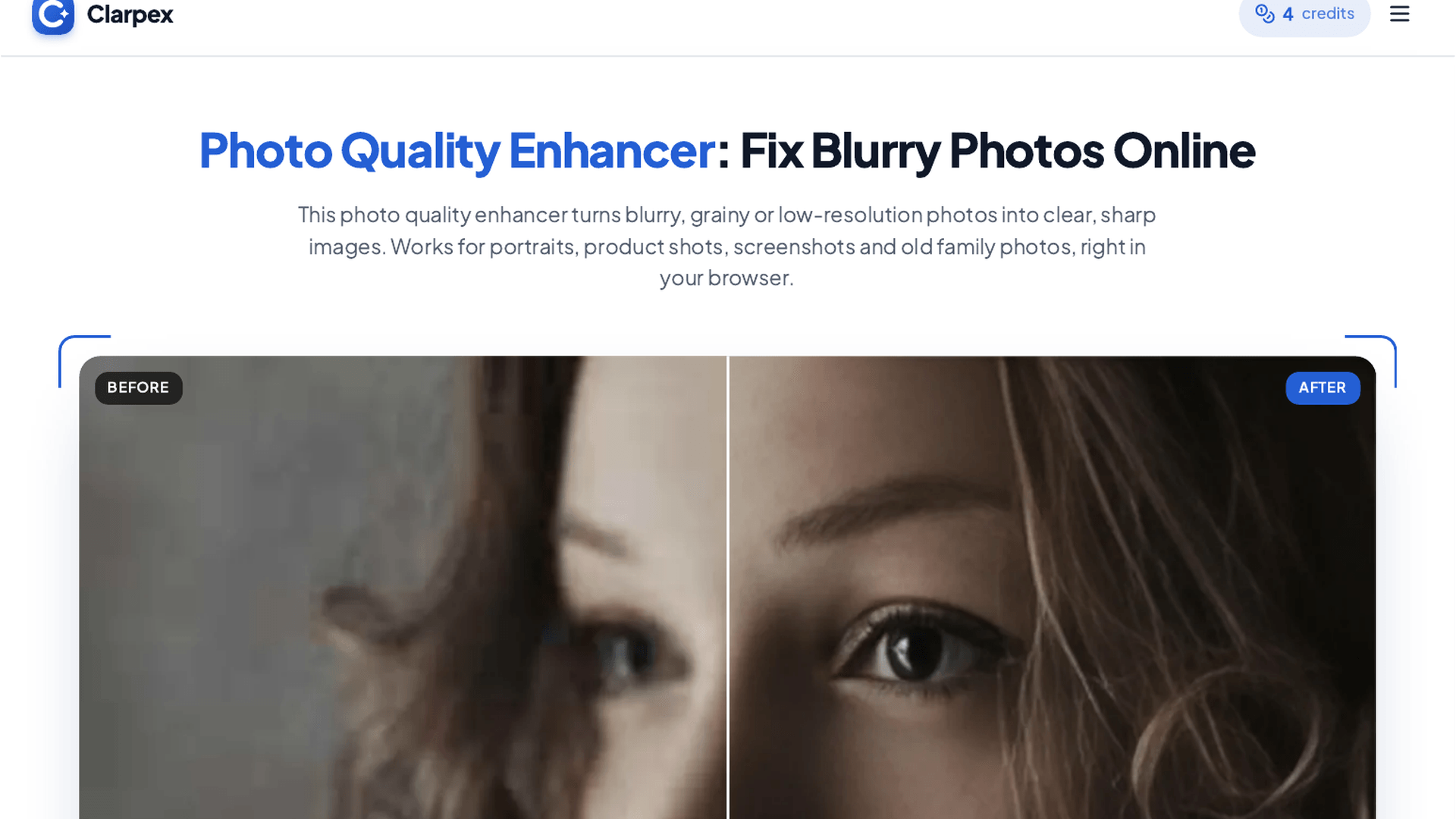
Clarpex is a browser-based photo enhancer that gives you 10 free credits a day with no sign-up, and the free tier actually delivers: my 4K upscale came back as a verified 3840×2560 download with no watermark, and small text in the screenshot became readable. The problem is getting there. The human verification check kept failing when I tried without an account, and the daily allowance is too thin to test everything in one day.
I signed up with an email address, no card required, and the check cleared once I was signed in. Each of my three runs cost 2 credits and took about 1 to 2 minutes, leaving me with 4 credits. Old-photo restore, at 8 credits, was then out of reach for the day. If you want an occasional free upscale and you are willing to sign in, Clarpex is worth a try. If you want to restore old photos or work without an account, the free plan will frustrate you.
What Is Clarpex?
Clarpex is a browser-based AI photo quality enhancer that sharpens blurry photos, removes noise, fixes pixelation, and upscales images to 2K, 4K, or 8K. It also offers old-photo restore, black and white colorization, glare and red-eye removal, and unblur tools, with a before and after slider so you can compare the result before you download it. Files can be JPG, PNG, or WebP up to 20 MB and 40 MP.
It is very new: the domain was registered on 23 October 2026, it appeared on Toolify on 1 November 2026, and a Show HN post followed on 3 November 2026. I could not find a named founder, a company address, or any independent customer reviews anywhere. The site says photos are used only to make the result, never sold, and never used to train AI, and unsigned uploads are deleted after 24 hours.
Hands-On Test: How Clarpex Actually Performed
In line with our editorial testing policy, I tested Clarpex with the same input three times: a 960×640 screenshot of the UnboxedAI.tech homepage. My first run used the home enhancer without an account, starting at 10 of 10 credits. The human verification check failed twice, then passed after the browser session was replaced, and the run finished by 12:12 UTC. It cost 2 credits, leaving 8, and the before and after slider showed visibly sharper text with no watermark in the preview.

My second run used the Image Upscaler at 4K, signed in. Without an account the same tool failed the verification check three more times, with no credits consumed. Signed in, there was no check at all, and the run finished in under 2 minutes. It cost 2 credits, leaving 6. The site stated the output as 3840×2560 px, and the downloaded file I checked measured exactly 3840×2560, at 550 KB, with no watermark. Small text in the screenshot became readable.
My third run used the same upscaler at 2K, signed in. It finished in under 2 minutes, cost 2 credits, leaving 4, and the downloaded file measured 2556×1704, which is 4 by 3 pixels smaller than the site-stated 2560×1707. That is a tiny discrepancy, not a failed test, and the result was visibly sharper with no watermark.

Old-photo restore stayed untested, and that is the free plan’s own maths, not a paywall. With 6 credits left, restore showed Standard at 8 credits and Pro at 18, with the button disabled. Enhance (2) plus upscale (2) plus restore (8) is 12 credits, so a day’s 10 free credits cannot cover all three. I also could not test a portrait or a real old photo, because the site’s sample thumbnails only change the demo image and do not load into the workspace, and my test setup could only upload the one sample file. So my results cover screenshots, not portraits or damaged prints.
Free Plan vs. Real Pricing (And Hidden Limits)
The free plan is simple: 10 credits every day, Standard only, no sign-up needed, and daily credits expire the same day. Standard enhance, sharpen, upscale, and HD conversion cost 2 credits each. Pro versions cost 10 credits, 8K upscale costs 20, and restore costs 8 for Standard or 18 for Pro. Failed runs are refunded automatically.
| Plan | Monthly price | Annual price | Monthly credits |
|---|---|---|---|
| Free | $0 | $0 | 10 free credits a day |
| Starter | $9.90 | $95.00 per year | 400 |
| Creator | $24.90 | $239.00 per year | 1,200 |
| Studio | $49.90 | $479.00 per year | 2,800 |
Annual billing saves 20 percent, and subscription credits roll over up to 3 times the monthly amount while the subscription is active, then are lost when it ends. One-time credit packs never expire: Small is 150 credits for $4.99, Medium is 550 for $14.99, and Large is 1,200 for $29.99. Subscriptions auto-renew and are generally non-refundable, and daily free credits cannot be pooled across extra accounts.

Two things need a warning. First, the pricing page served me two different credit amounts on the same day: the first load showed Starter, Creator, and Studio at 100, 400, and 1,000 credits a month, while every load after that showed 400, 1,200, and 2,800, which is what I report as current. Second, commercial use is not expressly granted in writing. The terms say only that you keep all rights to the content you upload and to the results, so I would not assume a commercial licence on the free plan.
Pros
- Real 4K output on the free plan: My 4K upscale downloaded as a verified 3840×2560 file with no watermark.
- No sign-up needed to start: 10 free credits a day, Standard only, with no card required.
- Visibly sharper results: Small text in a screenshot became readable after upscaling.
- Clear per-run costs: Standard runs cost 2 credits, and failed runs are refunded automatically.
- Credit packs never expire: One-time packs from $4.99 for 150 credits keep their credits forever.
Cons
- Human check kept failing without an account: Five verification failures before signing in cleared it.
- Daily allowance is too thin: Enhance plus upscale plus restore costs 12 credits against 10 a day, so restore was out of reach.
- Pro and 8K are effectively paid only: Pro runs cost 10 credits and 8K costs 20, more than a day’s free allowance.
- Pricing page served two credit amounts: The first load showed far fewer credits than every load after it.
- No founder and no reviews: A 3-week-old tool with no named maker and no independent customer feedback.
What Real Users Are Saying
There are no independent customer reviews of Clarpex on G2, Trustpilot, Capterra, Product Hunt, Reddit, X, or Toolify, and no Hacker News comments could be retrieved from its Show HN post. The tool is about 3 weeks old, so that is a genuine zero-review launch, not a gap in my search. I found no user praise or complaints about credit burn, quality, watermark, billing, or cancellation, and I will not invent any.
Two directory notes are worth passing on, without treating them as reviews. There is An AI For That lists editorial pros and cons, including no RAW support, no offline use, and a credit system that limits continuous use. Scam Detector gives clarpex.ai an automated trust score of 23.6 out of 100, driven largely by a domain under one month old and privacy-protected WHOIS. That is an automated new-domain score, not evidence of wrongdoing, but it fits a tool with no named maker and no public track record yet.
Who Should Use Clarpex (And Who Should Skip It)
Clarpex suits anyone who needs an occasional free upscale of a screenshot, a product shot, or a web image, and who is willing to sign in to get past the verification check. Five Standard runs a day is enough for a few images, and the 4K output I verified is genuinely useful for prints, wallpapers, and close crops.
3DMaker Review
If your design pipeline requires textured 3D meshes and spatial models rather than 2D illustrations, explore our 3DMaker review.
Skip it if you need old-photo restore on the free plan, because 8 credits for one restore leaves almost nothing for anything else that day. Skip it too if you need Pro detail rebuilding, 8K output, or batch processing, because all of those need paid credits, and if a named company and a track record matter to you, a more established upscaler is a safer choice until Clarpex has one.
Frequently Asked Questions
Is Clarpex really free?
Yes, for Standard runs. You get 10 free credits every day with no sign-up, and a Standard enhance or upscale costs 2 credits, so about 5 free runs a day. Daily credits expire the same day and do not carry over.
Does Clarpex add a watermark on the free plan?
No. Downloads have no watermark, according to the official FAQ, and my downloaded 4K and 2K files had no watermark. The before and after preview on the site is watermark-free too.
How much does Clarpex cost per month?
Starter costs $9.90 a month, Creator costs $24.90 a month, and Studio costs $49.90 a month. Annual billing saves 20 percent, so Starter is $95.00 a year, Creator is $239.00 a year, and Studio is $479.00 a year.
Can you use Clarpex creations commercially?
Not expressly. The terms say you keep all rights to the content you upload and to the results, but no explicit commercial-use wording was found in the Terms, Privacy Policy, or FAQs, so do not assume a commercial licence on the free plan.