Whacka turns a plain-language prompt into a real working app, and I proved it on the free plan: I built a habit tracker, added a progress summary, and published it live, all for 4 credits and no card. The app works, add, complete and delete all function in the published version, and the whole build took under 3 minutes of generation time. The catch is time, not money: free apps stay online for only 14 days, and the smarter Thinking mode is locked behind Pro. My take: if you want to test whether an idea works as an app, the free plan is genuinely useful, as long as you do not need the app to stay live.
I tested the free plan on 14 November 2026 with no card, no phone number and no payment. I started with 8 of 8 credits for the day, from a monthly allowance of 24, and ended with 4 of 8 left after two agent runs of 2 credits each. Publishing cost nothing. If you mostly build small tools for yourself, keep reading. If you need an app that stays online for months, the free plan will not do it.
What Is Whacka?
Whacka is a prompt-to-app builder. You describe the app you want in plain language, in any language, and it builds a working app with a database, storage, push notifications and auth, hosted on a whacka.app subdomain. It is built by Promnes Lane Technology Inc, registered in Delaware, USA, and the maker listed on TAAFT is John Goodhew. It was featured on BetaList on 14 November 2026, and an Alphr hands-on review appeared on 13 November 2026. The pitch is simple: no code is exposed during normal use, you work through the finished interface and the AI editor, and your end users pay their own AI bills inside published apps.
Hands-On Test: How Whacka Actually Performed
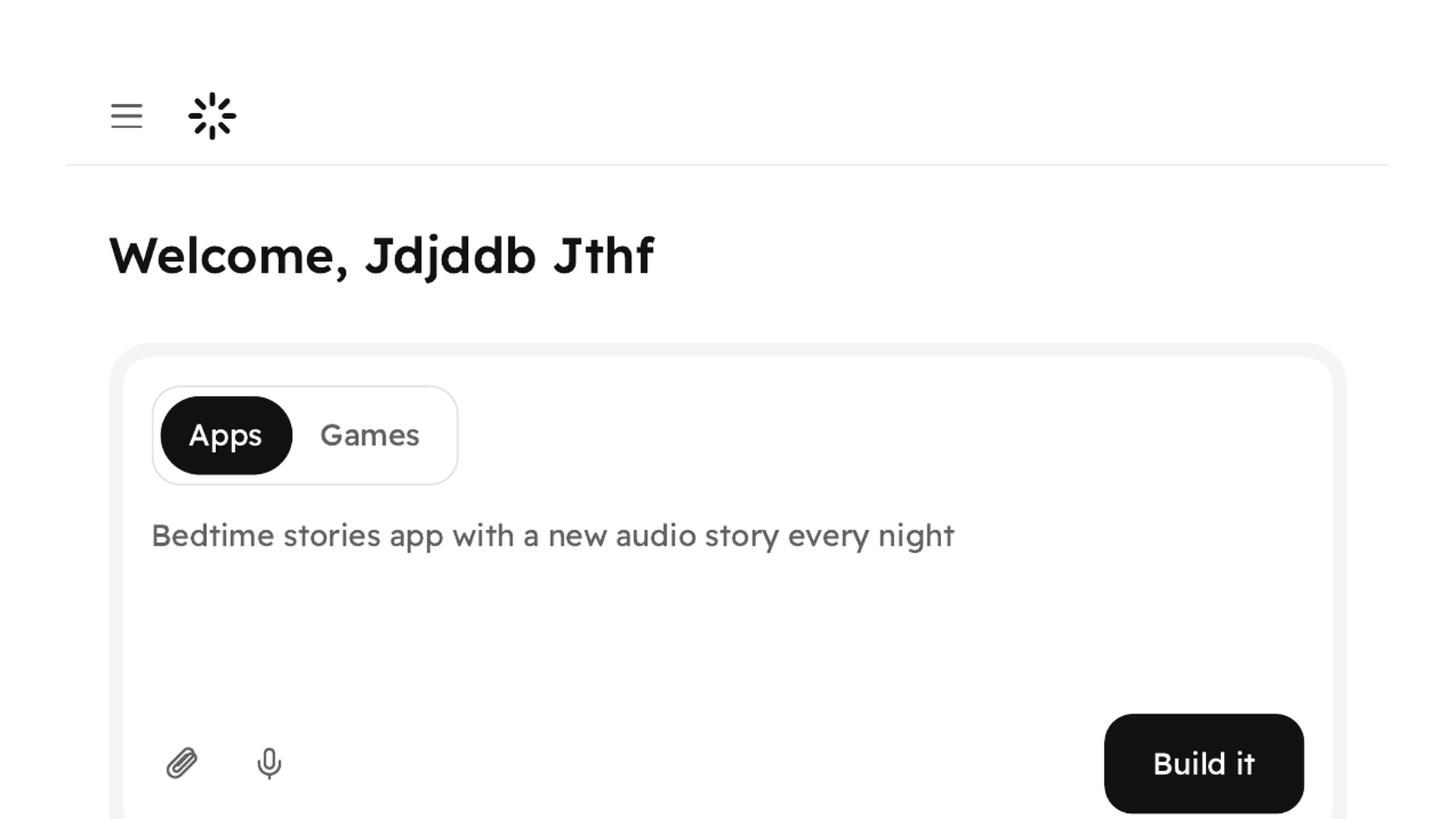
In line with our editorial testing policy, sign-up took minutes. From the homepage I clicked Continue with Google, picked the test account in the chooser, clicked Continue on the consent screen, and landed on the dashboard. No password prompt appeared at any point. The dashboard showed a welcome message and a credit counter reading 8 of 8 left today.
Test 1 was the build. I asked for a simple habit tracker app with add, complete and delete habits, a clean list view, a form to add a new habit, a checkbox or button to mark a habit complete for today, and a delete button for each habit. Whacka reported thinking for 1 minute 24 seconds across 157 steps, and charged 2 credits, taking me from 8 to 6. The app, named HabitGlow, worked in the preview: I added Drink water, it appeared as 0 of 1 and 0 percent done, and marking it complete moved it to 100 percent, 1 of 1, with the name struck through and a streak of 1 day.

Test 2 was a second feature in the same app. I asked for a progress summary card at the top showing total habits, how many are done today, the completion percentage, and the longest current streak. It took 21 seconds across 29 steps and cost 2 more credits, taking me from 6 to 4. The summary card appeared and showed Done Today 1 of 1, 100 percent, Total Habits 1, Longest Streak 1 day, and the Drink water habit was still there.

Test 3 was publishing, and it cost 0 credits. HabitGlow went live at habitglow-ozrm.whacka.app, with the dashboard showing Live and 14 days left online. I opened the public link as an anonymous visitor and add, complete and delete all worked there too: I added Read 10 pages, marked it complete at 100 percent, and deleted it, with delete asking for a second click to confirm. One honest caveat: the public link starts empty, so the Drink water habit I added in the builder did not carry over, because habit data follows the signed-in user, not anonymous visitors. A Made with Whacka badge sits at the bottom right of the published app, with a dismiss button.
Two things I could not test. Export was not tested on Free, because data export is a Starter feature. Thinking mode was not tested either, because it is marked Pro and locked on the free plan. Locked behind paid plans and left untested: Thinking mode, removing Whacka branding, private apps, usage analytics, native Android and iOS apps, custom domains, and app health checks on Ultra.
Free Plan vs. Real Pricing (And Hidden Limits)
The free plan costs $0 with no card required. It gives 24 credits a month, 8 a day, with unused daily credits resetting at midnight UTC. Apps are hosted on a whacka.app subdomain, stay online for 14 days after first publish, and include database, storage, push and auth, with 10K records and 500MB storage across all apps. Free uses the Fast model only.
| Plan | Monthly price | Credits | Key limits |
|---|---|---|---|
| Free | $0 | 24 a month, 8 a day | Apps live 14 days, Fast model only, Whacka branding |
| Weekly | $3 a week | 50 a week | Apps live 14 days, no daily limit |
| Starter | $8 billed annually ($10 monthly) | 200 a month | Apps stay live while subscribed, own subdomain and domain, data export |
| Pro | $32 billed annually ($40 monthly) | 800 a month | Thinking mode, remove branding, private apps, native Android and iOS apps |
| Ultra | $96 billed annually ($120 monthly) | 2,500 a month | Brand on sign-in and emails, app health checks, 300K records |
One-time top-ups are also available: 100 credits for $12 and 500 credits for $55, valid 12 months. I found no promo code on the pricing page or in the app. The only savings shown are the annual billing discount of 20 percent and 8 percent off the 500-credit top-up, plus free credits for inviting friends and for real visitors to a published app. The terms, last updated 29 October 2026, say plans auto-renew until cancelled and payments and credits are non-refundable, publishing grants Whacka a non-exclusive licence to host the app, Whacka may reclaim or reassign subdomains, and disputes go to individual arbitration in Delaware.

Pros
- Real working app on free: I built and published HabitGlow for 4 credits, and add, complete and delete all worked on the live link
- Fast and cheap per build: the first build took 1 minute 24 seconds for 2 credits, the second feature 21 seconds for 2 credits
- No card anywhere: Google sign-in, minutes to a working dashboard, and publishing cost 0 credits
- Full stack included: database, storage, push and auth come with the free plan, not as paid extras
- Clear credit meter: the counter shows credits left today, and usage history lists every agent run
Cons
- Free apps die after 14 days: published apps go offline unless you pay for Starter at $8 a month
- Thinking mode is Pro only: the smarter mode is locked, free runs on Fast only
- Only 8 credits a day: at 2 credits per build, that is about 4 small builds a day
- Visitor data does not carry over: habits added in the builder did not appear on the public link for anonymous visitors
- Whacka badge on free apps: a Made with Whacka badge sits on published apps until Pro removes it
What Real Users Are Saying
There are no scored independent user reviews to quote. I found no Whacka listing with reviews on G2, Trustpilot, Capterra or Product Hunt, and no discussion on Reddit or Hacker News. The closest thing to a third-party assessment is an Alphr editorial hands-on review from 13 November 2026, which is an editor testing the tool, not a user review, so I am treating it as editorial evidence, not customer sentiment.
Alphr praises the ease of use, saying apps are approachable and usually publishable out of the box, simple changes take a few minutes at most, and user logins and data are handled well. It also reports plain-language builds with voice input and multilingual support. On the other side, Alphr says the free account is only useful as a trial and brainstorming tool because free apps pause after 14 days, the AI suits straightforward formulaic apps but not dedicated software that needs to comb through user data, the code is not exposed during normal use, and Arabic to English translation may not work well. A TAAFT listing quote from a non-technical user says Whacka was one of the first products that made them feel they could try building something from their phone. Until real users report back, the honest summary is that Whacka has no public track record yet, good or bad, beyond one positive editorial review.
Who Should Use Whacka (And Who Should Skip It)
Use it if you want to turn an idea into a working app in minutes without writing code, and you are happy to test it for a fortnight. The free plan is genuinely usable without a card, and 8 credits a day covers about 4 small builds a day at 2 credits each. Skip it if you need an app that stays online for months, because that needs Starter at $8 a month, and skip it if you need complex software that works through large amounts of user data, because Alphr found that is beyond what the AI does well. Alternatives to weigh are JBOX, another prompt-to-app builder with 50 starting credits, and Lovable, the better-known app builder with a larger community, though its free tier is tighter.
SpaceFast Review
If you need complete serverless backend deployments and full web application hosting, see our SpaceFast review.
Frequently Asked Questions
Is Whacka really free?
Yes. The free plan costs $0, needs no card, and gives 24 credits a month, 8 a day. I signed up with Google and built and published a working app for 4 credits, with publishing itself costing nothing.
Does Whacka add a watermark on the free plan?
No watermark, but free published apps carry a Made with Whacka badge at the bottom right, with a dismiss button. Removing the branding needs the Pro plan at $32 a month billed annually.
How much does Whacka cost per month?
Weekly costs $3 a week, Starter $8 a month billed annually ($10 monthly), Pro $32 a month billed annually ($40 monthly), and Ultra $96 a month billed annually ($120 monthly). One-time top-ups are 100 credits for $12 and 500 credits for $55.
Can you use Whacka creations commercially?
You own what you build, and publishing grants Whacka a non-exclusive licence to host the app. You are the data controller for your end users’ data, and the terms say AI output is not guaranteed accurate, functional or safe, so test anything you ship to real users.