Squario is an all in one CRM and operations platform for small businesses, and I tested it free for a fictional Helsinki bakery. The short answer: the free plan is real and usable, the AI assistant gave me the best single answer of the test, and the tool I most wanted to try was locked behind a paid plan. Squario is worth a look if you run a small service business and want sales, projects, time and money in one place, but the free tier is a taster, not a working system.
I signed up with an email address and no card, and Squario gave me 25 AI credits a month, 3 deals, 1 project and 1 dashboard for one member. I created a company, a contact and a 1,200 euro deal, turned that deal into a project, and asked Squaria, the built in AI assistant, to summarise the pipeline and draft a follow up email. The whole test used 1 of my 25 credits.
What Is Squario?
Squario, built by a team that calls itself The Square, brings sales, projects, time tracking, budgets, expenses and dashboards into one workspace, with an AI assistant called Squaria that can read your data and act on it. It connects with tools small businesses already use, including QuickBooks, Xero, Stripe and Google Calendar, and it has a proposal builder called Scopify that drafts scopes from a short brief.
The company launched on Product Hunt on 26 October 2026, and its paid plans opened on 15 September 2026 according to its own changelog. Squario 2.0, with a redesigned workspace and conversation, tasks and calendar views, followed on 15 October 2026. It is a very new product, and it shows in two ways: the interface is clean and modern, and a few rough edges are still visible, which I get to below.
Hands-On Test: How Squario Actually Performed
In line with our editorial testing policy, I set up a workspace called Golden Crust Bakery, a small Helsinki bakery selling bread, pastries and custom cakes. My first test was the basic CRM loop. I created a company, Kahvila Aamu Oy, and a contact, Aino Virtanen, then created a deal for a weekly bread and pastry supply, set its value to 1,200 euro, and linked the company and the contact to it. That took about two minutes and cost 0 credits. Two small quirks appeared at once: the quick create form has no amount field, so the deal started at 0 euro until I edited it, and the quick create contact form has no email or company field, so the contact was not linked to the company until I fixed that by hand.

My second test was a project. Scopify, the proposal builder, is locked on the free plan, so I created a project instead. A project needs a won deal first, so I marked the 1,200 euro deal as won. That worked, but the deal stage stayed at Qualification and the win probability stayed at 10 percent even after winning, which is a real data bug, not a cosmetic one. The project itself, a weekly supply delivery for Kahvila Aamu Oy, was created in about a minute and cost 0 credits. But its committed revenue showed 0.00 euro, margin 0.00 euro and 0 hours, because the deal value was not carried into the project. After this test my free plan was full on projects, 1 of 1 used, with 1 of 3 deals used.
My third test was Squaria, and it was the highlight. I asked it to summarise the sales pipeline and draft a short follow up email to Aino about the weekly supply. It answered in about 30 seconds and cost exactly 1 credit. The summary was accurate: one deal, valued at 1,200 euro and marked won today, with no open deals. Better still, it spotted the stage inconsistency itself and said the recorded stage still said Qualification, so the stage label may need updating. The draft email asked Aino to confirm a start date, delivery days and weekly quantities, and it noted honestly that it found no email address for Aino and had not sent anything. That is a good AI assistant: accurate, careful about what it does not know, and useful in one step.

After all three tests my balance was 1 of 25 AI credits used, 24 left, with credits resetting on 1 December 2026. The usage page also showed a small display bug, with AI usage by member reading 1100 percent, which I am reporting as a cosmetic glitch, not a billing problem.
Free Plan vs. Real Pricing (And Hidden Limits)
The free plan gives you 1 member, 25 AI credits a month, unlimited companies, contacts and leads, 3 deals, 1 project, 1 dashboard, 1 GB of Drive storage, 5 expenses, 20 form submissions a month, 3 knowledge sources and 10 MB of knowledge storage. No card is needed, and there is no time limit on the free plan. The limits that matter most are the 3 deals, the single project and the 25 credits, because a real small business will hit the project cap within days.
Paid plans are priced per member per month, excluding VAT, with yearly billing giving 2 months free. Pro is 29 euro a month, or 24.17 euro a month billed yearly, with 500 AI credits plus 50 per member, unlimited deals and projects, Scopify unlimited, advanced exports and 5 GB of Drive storage. Growth is 49 euro a month, or 40.83 euro billed yearly, with 2,000 AI credits plus 75 per member and 100 GB of Drive storage. Scale is 79 euro a month, or 65.83 euro billed yearly, with 5,000 AI credits plus 100 per member and 250 GB of Drive storage. Enterprise is custom priced. The pricing page also shows 10 percent off the first payment on Pro, Growth and Scale, but no usable code was visible on the page, so I am not publishing a code.
| Plan | Monthly price | Yearly price | AI credits a month | Key limits |
|---|---|---|---|---|
| Free | 0 euro | 0 euro | 25 | 1 member, 3 deals, 1 project, 1 dashboard |
| Pro | 29 euro | 24.17 euro | 500 plus 50 per member | Unlimited deals and projects, Scopify included |
| Growth | 49 euro | 40.83 euro | 2,000 plus 75 per member | Unlimited dashboards, 500 custom fields |
| Scale | 79 euro | 65.83 euro | 5,000 plus 100 per member | 1,000 custom fields, 50,000 automation runs |
| Enterprise | Custom | Custom | Custom | SSO, SCIM, SLA, dedicated manager |

What stays locked on free matters as much as the price. Scopify and Forms and Intakes show an upgrade message in the sidebar, and the usage page lists custom fields, data models, forms, automations, broadcasts, profile pages, installed apps, bank connections and API requests as not included. Advanced exports are also locked, and when I tried to export my deals the app told me my plan does not include advanced exports. That means I could not test exports or watermarks at all on the free plan, and I am saying so plainly instead of guessing.
Pros
- Accurate AI assistant: Squaria summarised the pipeline correctly in about 30 seconds for 1 credit, and spotted the stage inconsistency itself.
- Real free plan, no card: 25 AI credits a month, 3 deals and 1 project with no time limit and no card required.
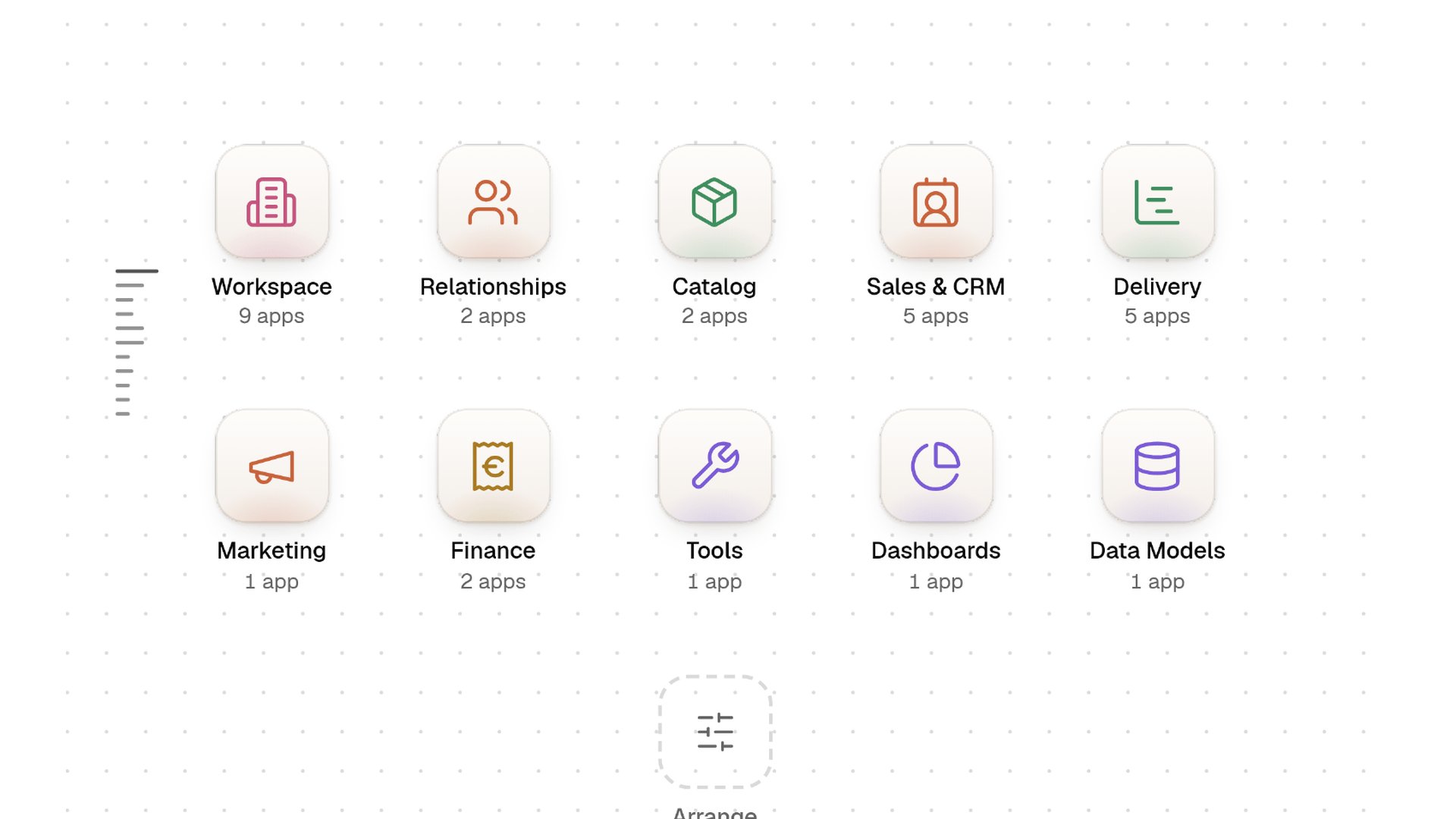
- Clean, modern workspace: Sales, projects, finance, dashboards and data models sit in one clear home screen.
- Honest usage page: Every limit is shown as a number, with the credit reset date visible.
- Clear pricing: Monthly and yearly prices are shown side by side, with 2 months free on yearly billing.
Cons
- Scopify is locked on free: The headline proposal builder cannot be tried without paying, so the free test misses the most interesting feature.
- Deal value does not reach the project: A won 1,200 euro deal produced a project showing 0.00 euro committed revenue.
- Won deal keeps the wrong stage: The stage stayed at Qualification with 10 percent probability after I marked the deal won.
- Exports are locked: Advanced exports are a paid feature, so nothing can be exported or checked for watermarks on free.
- Tiny free limits: 1 project and 3 deals run out fast, and quick create forms are missing amount, email and company fields.
What Real Users Are Saying
I found no independent user reviews for Squario on G2, Trustpilot, Capterra, Product Hunt, Reddit, Hacker News or X as of 14 November 2026. Its Product Hunt page states there are no reviews yet, and directory listings on G2, Capterra and GetApp repeat the vendor description with no rating or review count. That is not a criticism of the product, it is a fact about how new it is, and it means every claim in this review rests on my own test and on Squario’s official pages, not on other customers. One third party revenue page, citing TrustMRR and Stripe data checked on 27 October 2026, reports about 124 dollars of monthly recurring revenue, which fits a product that launched weeks ago.
Who Should Use Squario (And Who Should Skip It)
Squario suits a solo founder or a very small team that wants one workspace for sales and delivery and is willing to pay from 29 euro a month once the free limits run out. The AI assistant is genuinely useful for pipeline summaries and follow up drafts, and the free plan is enough to learn the product properly. Skip it if you need proposal generation on a free plan, because Scopify is paid only, or if you need reliable invoicing, since Squario tracks budgets and expenses but does not issue client invoices. If you only need a simple CRM with more free records, HubSpot’s free CRM or Attio’s free tier will give you more room before you pay.
Trimy Review
If you need speech-to-text video trimming and automated transcript cropping, take a look at our Trimy review.
Frequently Asked Questions
Is Squario really free?
Yes. The free plan costs 0 euro for 1 member, with 25 AI credits a month, 3 deals and 1 project, and no card is required. There is no time limit on the free plan.
Does Squario add a watermark on the free plan?
I could not test this, because advanced exports are locked behind a paid plan and the free plan offers no export to check. No watermark appeared anywhere inside the app during my test.
How much does Squario cost per month?
Pro costs 29 euro per member per month, Growth 49 euro, and Scale 79 euro, all excluding VAT. Yearly billing gives 2 months free, which brings Pro to 24.17 euro a month.
Can you use Squario creations commercially?
Yes. Squario’s terms say you keep the rights to your data and can export or delete your workspace. Commercial use of the workspace itself is not restricted on the free plan.