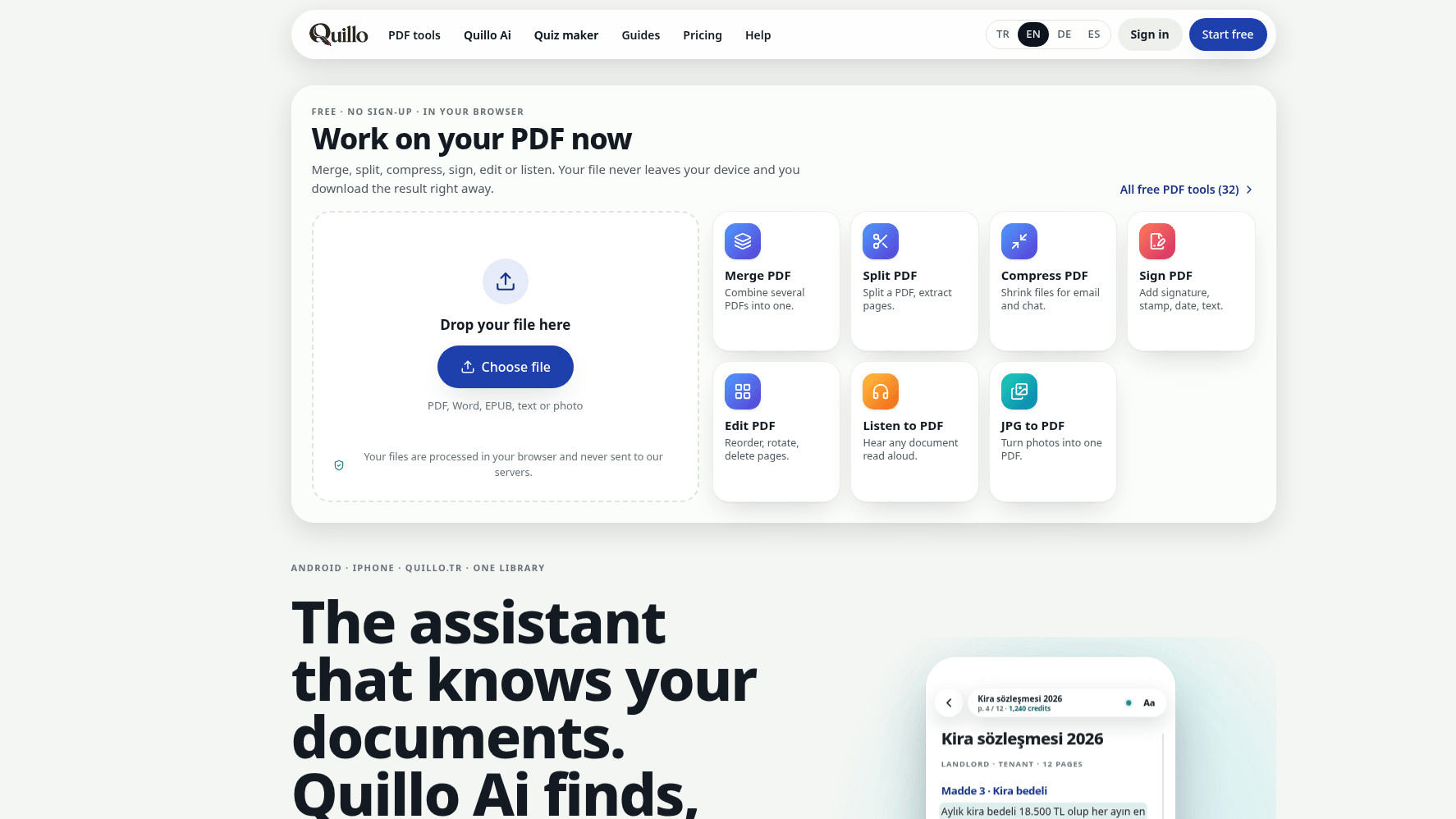
I signed up for Quillo on its free plan (no credit card required) and started with a one-time trial of 200 Quillo credits. I uploaded a 2-page PDF I made for the test, listened to the first minute in a natural cloud voice, and asked Quillo Ai to summarise it and answer a question about it. The summary and the answers were accurate and cited to the page, and the quiz maker built 5 good questions in under a minute. The voice did mangle a Finnish street name and a phone number, and the Compress PDF tool made my file bigger instead of smaller. Quillo is a small, honest tool that does its core job well.
Quillo launched on Product Hunt on 10 November 2026, ranked 19th for the day with 77 upvotes and 12 comments, and I found no independent customer reviews for it anywhere as of 13 November 2026. That is the point of this review: a brand new document app, tested on its free trial, with exact credit counts and timings, so you can judge it before you pay.
What Is Quillo?
Quillo is a document app from maker Agah Emre Sozen, built first in Turkish and now available in English, German, and Spanish. It reads PDFs aloud in a natural voice with sentence highlighting, answers questions about your documents with Quillo Ai, makes quizzes and exams from your notes, and includes 32 free PDF tools (merge, split, compress, sign, convert, and more), plus a scanner, translation in 13 languages, letterhead, signature, and stamp. It runs on Android, iPhone and iPad, and on the web at quillo.tr, with one account on up to 5 devices. Files stay on your device or in your own Google Drive, not on Quillo servers.
The idea is simple: you listen to documents more than you read them. Quillo Ai finds things in your documents, answers with page citations, and reads the answer aloud. It is also built for blind and low-vision users, with a voice-first design. The maker says he built it because he listens to documents more than he reads them, and the Product Hunt launch post says new accounts get a free gift of cloud voice and Ai pages. What the site actually gave me was different, and I flag that below.

Hands-On Test: How Quillo Actually Performed
In line with our editorial testing policy, I signed in on 13 November 2026 by email, verified via the inbox link, and skipped the optional Google Drive connection (no credit card, phone number, or ID check required). My starting balance was a one-time trial of 200 Quillo credits, confirmed in the account panel. One minute of cloud voice costs 10 credits, a Fast Ai page costs about 1 credit, Balanced about 10, and Most thorough about 20, and short chats without a document are free. Note that the web app forced sign-in before opening the library, so the no-sign-up listening the homepage advertises applies only to the standalone Listen to PDF tool page, which I did not run.
For the test I made a 2-page patient information sheet for a fictional Helsinki dental clinic, 456 words, with specific facts to check: a 65 euro check-up, a porcelain crown from 850 euros, a 50 euro fee for cancelling with less than 24 hours notice, 60 minutes to save a knocked-out tooth, and 12-year record storage. I uploaded it to the library first try, and it opened in the reader.
Test 1 was Listen. The cloud voice played the first minute, and the transcript confirmed it had read 24 percent of the document, about 3 minutes in total. The voice is natural, clear, and steady-paced, and sentence highlighting works: the spoken sentence is highlighted blue in the PDF and shown in the player, with the current word highlighted darker. Two slips: it read the street name Runeberginkatu as Runeberg and Katu, and the phone number 09 123 4567 as 09-1223-4567, and it read times as 8 o’clock. Cost: 10 credits, and the display went from about 20 more minutes to about 19 more minutes.
Test 2 was Summarise. I asked Quillo Ai, on default Fast quality, to summarise the document in three sentences. It answered in under a minute with an accurate three-sentence summary covering both pages, with inline page citations (p.1, p.2) and no invented facts. It simply left the specific prices out. Cost: 2 credits, shown as 2 credits used.
Test 3 was Q and A. I asked: How much does a porcelain crown cost from January 2027, and what is the fee for cancelling less than 24 hours before an appointment? It answered in about 15 to 30 seconds: crown from 850 euros (p.1), 50 euro fee (p.1). Both correct, both cited. Cost: 2 credits.
As a bonus I tried the quiz maker. It generated a 5-question multiple-choice quiz from page 1 in under a minute, and every question and shown correct answer checked out against the PDF: 24 hours notice, a 6.50 euro student saving on a 65 euro check-up, card or MobilePay, a knocked-out tooth kept moist in milk or in the cheek, and a deposit after two missed appointments in a row. I answered the first question and it confirmed Correct with an explanation. No credits used line appeared and the balance did not move.
Test 4 was Compress PDF, on the same file, Balanced quality at 110 dpi, free, and it took seconds. The result: 35 KB became 171 KB. The file got bigger, and Quillo said so plainly: The document could not be made noticeably smaller. The tool warns it re-renders pages as JPEG and text stops being selectable. No credits were charged. My ending balance was 186 credits, about 18 minutes of voice, so the whole test cost 14 credits in total.

Free Plan vs. Real Pricing (And Hidden Limits)
The Free plan costs $0 and needs no account for the standalone tools. Signing in gives a one-time trial of 200 Quillo credits, no card needed. When credits run out, reading does not stop: it continues from the same sentence with the device voice. Only two things are paid, cloud voice minutes and Quillo Ai pages, both from the same credit balance. Everything else is free on every plan, including reading, device and Piper voices, highlights, pen and notes, scanner, all PDF tools, letterhead, signature and stamp, translation, study cards, unlimited library, and Drive sync, and there are no ads on any plan. Paid plans, checked on the official English homepage and in-app on 13 November 2026, are:
| Plan | Monthly billing | Annual billing | Credits a month |
|---|---|---|---|
| Free | $0 | $0 | 200 credits once |
| Starter | $4.99 a month | $34.99 a year | 600 credits |
| Pro | $9.99 a month | $69.99 a year | 1,500 credits, extra packs on Pro only |
At 10 credits a minute of cloud voice and about 1 credit a Fast Ai page, 600 credits is about 60 minutes of voice or 600 Fast Ai pages, and 1,500 credits is about 150 minutes or 1,500 pages. Yearly billing is about 42 percent off monthly (Starter $34.99 a year versus $59.88, Pro $69.99 versus $119.88), and the yearly price buys the same monthly credit amount. Plans are bought only in Google Play or the App Store: there is no web checkout, and the in-app page says so plainly. The Turkish page shows the same tiers in lira (Starter 99 TL a month or 799 TL a year, Pro 249 TL a month or 1,999 TL a year).
One discrepancy you should know about. The website says Starter is 600 credits a month and Pro is 1,500, but the App Store and Google Play listings say Starter is 30 minutes plus 15 Ai pages a month and Pro is 90 minutes plus 40 pages. The sign-in gift differs too: the website says 200 Quillo credits once, while the Product Hunt post and both store listings say 10 minutes of cloud voice and 10 Ai pages. My live test got 200 credits, so I am reporting the website and in-app figures and flagging the conflict rather than picking one silently.
I checked for promos on the official English homepage, the in-app upgrade page, and the subscription and refund terms, and found no promo code, launch discount, or student deal, and there is no promo-code field anywhere. The only built-in savings are the annual prices and the free sign-in credit gift.
Terms flag: the terms, effective 13 November 2026, are operated by an individual, Agah Emre Sozen, under Turkish law, allow the account to be suspended without notice for rule breaches, and subscriptions auto-renew through the app store, with yearly plans including a 7-day in-store trial that registers a card.

Pros
- Cited answers that were right: the summary and the Q and A were accurate with page citations, and both test questions got the exact figures, 850 euros and 50 euros.
- Natural read-aloud with highlighting: the cloud voice is clear and steady, the spoken sentence is highlighted blue, and the current word is highlighted darker.
- Generous free scope: 200 trial credits once, and everything except cloud voice and Ai pages is free on every plan, including all 32 PDF tools, with no ads.
- Quiz maker works: 5 correct multiple-choice questions from one page in under a minute, with an answer key and instant feedback.
Cons
- Voice mangles names and numbers: Runeberginkatu became Runeberg and Katu, and 09 123 4567 became 09-1223-4567.
- Compress made the file bigger: 35 KB became 171 KB, and the tool re-renders pages as JPEG so text stops being selectable.
- Pricing figures conflict: the website says 600 and 1,500 credits a month, while the store listings say 30 minutes plus 15 pages and 90 minutes plus 40 pages.
- No customer record yet: 0 independent reviews were found, and plans can only be bought in the app stores, with no web checkout.
What Real Users Are Saying
I have to be direct here: I found no independent customer reviews for Quillo itself. I checked Product Hunt, Trustpilot, G2, Reddit, Hacker News, X, Capterra, SourceForge, Google Play, and the App Store, and none of them returned a verified user review. The Product Hunt launch on 10 November 2026 has 77 upvotes and 12 comments and ranks 19th for the day, but the launch page shows no star rating, and individual comment text was not visible on the public overview. Google Play shows 0 reviews and no rating, with 130 downloads in the last 30 days, and the App Store says the app has not received enough ratings or reviews to display an overview.
The only community thread I found is a Turkish forum post by the maker on 9 November 2026 asking for honest feedback, with a single reply that accuses him of having AI write the post and does not review the product at all. The maker’s own Instagram account has three promotional reels with 2 to 5 likes each and no user feedback. I also found no billing, credit, or cancellation complaints anywhere, but that only reflects the absence of reviews, not satisfied users. Do not be misled by the same name elsewhere: G2 Quill, Trustpilot QuillBot, and the Play Store MyQuillo are all different products, so I am not counting them here.
Who Should Use Quillo (And Who Should Skip It)
Use Quillo if you want to listen to PDFs in a natural voice, ask questions about a document and get cited answers, or turn notes into a quiz, and you like that almost everything except voice minutes and Ai pages is free with no ads. The 200 trial credits cover a real test, and the Starter plan at $4.99 a month is cheap for 600 credits. Skip it if you need a proven customer record, a web checkout, or a voice that handles names and numbers in your language flawlessly, because the voice mangled a Finnish street name and a phone number in my test. Skip it too if you need PDF compression that actually shrinks files, since the one file I compressed got bigger. And if you are buying a paid plan, check the credit allowance in-app first, because the website and the store listings disagree.
ListicleWriter.ai Review
If you are specifically authoring structured listicles and rankings, explore our ListicleWriter.ai review.
Frequently Asked Questions
Is Quillo really free?
Yes, Free costs $0 and needs no account for the standalone tools. Signing in gives a one-time trial of 200 Quillo credits with no card. When credits run out, reading continues from the same sentence with the device voice. Everything except cloud voice minutes and Quillo Ai pages is free on every plan, with no ads.
Does Quillo add a watermark on the free plan?
I saw no watermark mentioned anywhere in the UI, and Save to device worked on Free. I could not visually verify whether the exported PDF carries a watermark, because the downloaded file was not opened in the browser, so I am not claiming it is watermark-free.
How much does Quillo cost per month?
Paid plans are Starter $4.99 a month or $34.99 a year with 600 credits a month, and Pro $9.99 a month or $69.99 a year with 1,500 credits a month and extra credit packs. Yearly billing is about 42 percent off. Plans are bought only in Google Play or the App Store, with no web checkout. Note the store listings state different allowances, 30 minutes plus 15 pages on Starter and 90 plus 40 on Pro, so check in-app before you buy.
Can you use Quillo creations commercially?
Quillo publishes no separate commercial-use clause I could verify, and its terms are operated by an individual under Turkish law with suspension without notice for rule breaches. Exports, letterhead, signature, and stamp are listed as free for all plans. Read the terms and confirm commercial use in writing before business use.