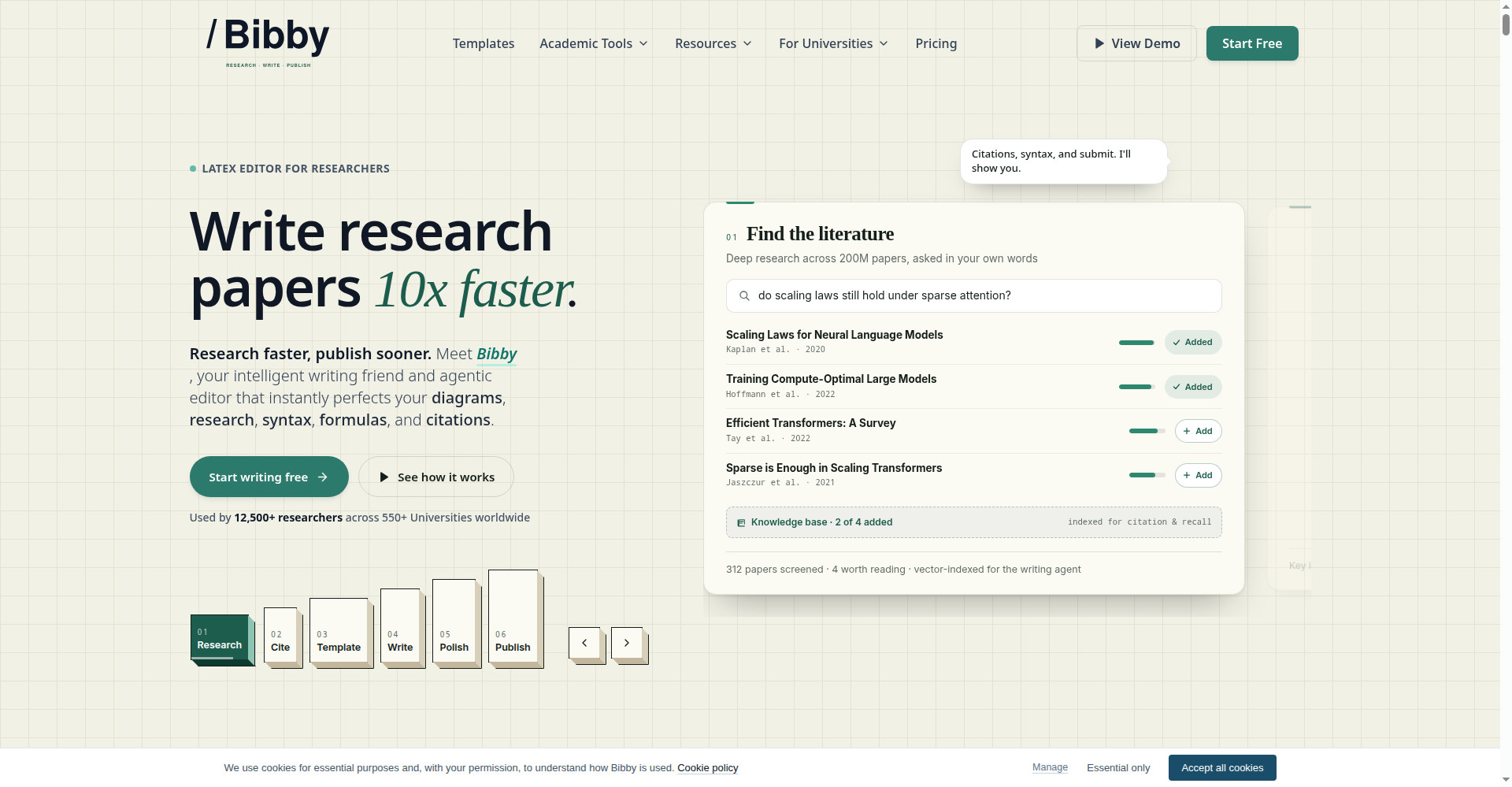
I signed up for Bibby AI with a free email account (no credit card required) and put its free tier through a real LaTeX job: start a paper, write a paragraph, search for citations across eight databases, and get the AI to review the draft. Here is what actually happened, credit by credit, including the part where the citation came out as literal text.
What Is Bibby AI?
Bibby AI is an AI-first LaTeX editor for researchers. It combines a LaTeX editor with Rich Text and Code views, citation search across academic databases, an AI paper reviewer, figure generation with more than 6,000 scientific icons, collaboration, and journal templates. The maker says the team comes from MIT, Yale, Instadeep, and Witwatersrand, and that more than 12,500 researchers across 550 plus universities use it. That user count is a vendor claim, and I could not verify it independently.
Bibby launched on Product Hunt on 7 April 2026, ranked 9th that day, so it is a genuinely new tool. That newness shows in its review footprint: I found no independent customer reviews at all, on any platform I checked. That matters, and I say so plainly in the feedback section below.

Free Plan vs. Real Pricing (And Hidden Limits)
The free plan gives you 2 projects, 30 compiles, and 2 AI completions a month, with 10 plus basic templates and all free LaTeX tools. No card is required. One wrinkle: inside the app, the same plan is counted in credits, not completions. My account showed a “Default free plan with 100 credits“, and my citation search used 25 of them. The marketing page talks in completions, the app counts in credits, and the two do not obviously map to each other.
Paid plans, checked on the official pricing page on 12 November 2026:
| Plan | Monthly billing | Yearly billing | Key limits |
|---|---|---|---|
| Free | $0 | $0 | 2 projects, 30 compiles, 2 AI completions a month |
| Pro | $16 | $14 a month | Unlimited Bibby Chat, citations, literature, and patents |
| Institution | From $18 a seat | Custom | SSO, analytics, dedicated manager, API, SLA |
Pro at $16 a month is the price on the official page today. Older sources quote $9 a month and some listings quote $20 a month, so do not trust those. Subscriptions auto-renew until cancelled, cancellation is only possible via the website, and individuals get a 14-day refund window. Bibby says document content is never read, stored, or used for AI training.

Hands-On Test: How Bibby AI Actually Performed
In line with our editorial testing policy, I signed up on 12 November 2026. Bibby blocks disposable email addresses outright with a “Please use a non-disposable email address” message, so you need a standard email or Google account. I registered with a Gmail address: the confirmation link briefly threw a callback error on click, but the account verified cleanly and logged straight in with no credit card, phone number, or ID check required.
Test one, drafting and compiling: I created a project called “AI citation tools for researchers”. The Blank template pre-fills an 819-word LaTeX tutorial, and I replaced its Introduction with a 100-word paragraph on AI citation tools. Compiling took only a few seconds and succeeded, producing a clean single-page PDF with no watermark. That cost 0 credits and 1 of my 30 compiles.
Test two, citation search: I searched for “artificial intelligence academic writing” across 8 databases. In about 60 to 90 seconds it returned 58 papers, with 7 of 8 sources returning results. The top result on topic was Khalifa and Albadawy 2024, “Using artificial intelligence in academic writing and research: An essential productivity tool”, with 973 citations. I selected it, copied its BibTeX, and added it to cite.bib. That used 25 of my 100 credits and my one free citation search, and the app told me “Your free search is used”.
Then came the finding that matters most. Typing a citation command in Rich Text view does not create a citation. The editor escaped it in the LaTeX source, so my compiled PDF showed the literal text “cite{khalifa2024using}” with no reference number and no References section. To get a working citation on the free plan, you have to switch to Code view and insert the raw BibTeX cite key manually, while one-click “Add to library” is locked behind Pro.
Test three, AI review: the Paper Review toolbar button is Pro-locked, so I used the Bibby Agent chat instead, model “Sage 5.1”. It read the full 5,932-character document and returned a structured review on clarity, flow, and accuracy, with a table of which claims need citations and which are optional. It even caught that my citation token had been corrupted to a broken “\cte” tag during editing. That review cost no additional visible credits: I stayed at 25 of 100 used.

What Worked and What Did Not
What worked well was the editor itself: fast compiles, a clean PDF with no watermark, a citation search that returns real papers quickly, and an AI review that genuinely read my document and caught a real error. At 25 credits for a citation search plus a full review, the free allowance is not stingy for a first try.
What did not work was the citation flow that most new users will try first. In Rich Text view, a citation command becomes literal text in the PDF, and the fix requires switching to Code view, which defeats the point of a friendly Rich Text mode. The Paper Review button is also locked behind Pro, so the most useful review feature is not on the free plan. And the free plan allows only 2 AI completions a month, which the vendor itself describes as not enough for serious research.
Pros
- Fast, clean compiles: my first compile took only a few seconds and produced a clean single-page PDF with no watermark.
- Real citation search: 58 papers in about 60 to 90 seconds, with the top result a genuine 973-citation paper on my exact topic.
- AI review that reads: the agent read the full document, judged which claims need citations, and caught a corrupted citation token.
- Fair free price for a try: a citation search plus a full review cost 25 of my 100 free credits.
Cons
- Citations break in Rich Text: typing a citation command there renders as literal text in the PDF, with no reference number and no References section.
- Paper Review is Pro-locked: the toolbar review button needs Pro, so free users must use the chat agent instead.
- Tiny free allowance: only 2 AI completions a month and 1 free citation search, which the vendor itself says is not enough for serious research.
- No independent reviews: I found no written reviews on Product Hunt, Trustpilot, G2, Reddit, Launch Llama, or SourceForge, so there is no outside check on the vendor’s claims.
What Real Users Are Saying
I have to be direct here: I found no independent customer reviews for Bibby AI. On Product Hunt there are no written reviews. On Trustpilot there is no listing at all. On G2 there is no listing for this product: the “Bibby” on G2 is a different social-media tool. On Reddit I found nothing. On Launch Llama the page states explicitly that it has no reviews yet. On SourceForge the rating is 0.0 out of 5 with the note “This software hasn’t been reviewed yet”.
What exists instead is vendor material. Bibby’s own blog awards itself 5.0 out of 5 and “Editor’s Top Pick 2026”. Two DEV.to articles by the co-founder’s account praise the citation search, the venue-specific paper reviewer, and the equation-from-image feature, while admitting the free plan is not enough for serious research and that every citation needs verifying.
The homepage also shows unattributed testimonials with no names, roles, institutions, or dates. A Bibby-authored arXiv paper reports 91.4 percent error detection and 83.7 percent one-click fixes on its own LaTeXBench-500 dataset, but that is the vendor’s own benchmark, not independent verification. I also found no billing, credit, or cancellation complaints anywhere, which reflects the absence of independent reviews rather than proven user satisfaction.
One more thing the research turned up: Bibby’s own user counts do not agree with each other. The homepage says 12,500 plus researchers, Product Hunt says 15,000, the careers page says 10,000 plus, and an older article says 9,920 plus. Treat all of them as vendor claims.
Who Should Use Bibby AI (And Who Should Skip It)
Use Bibby if you already write in LaTeX, want citation search and AI review close to your source code, and are happy to work in Code view when Rich Text lets you down. The free tier is a genuine tryout: fast compiles, real citation search, and a useful AI review for 25 credits. Skip it if you need a literature-reading tool for understanding dozens of papers before you write or if you need more than 2 AI completions a month, because you will hit the free limit on your first serious paper. And if you want independent reviews before you trust a tool with your thesis, wait: there are none yet.
Paperguide Review
If your work spans literature discovery, PDF synthesis, and reference extraction beyond LaTeX editing, check our Paperguide review.
Frequently Asked Questions
Is Bibby AI really free?
Yes, the free plan costs $0 with no card required, and I signed up without paying anything. It gives 2 projects, 30 compiles, and 2 AI completions a month. Inside the app the same plan is counted as 100 credits, and my citation search used 25 of them.
Does Bibby AI add a watermark to compiled PDFs?
No. My compiled PDF was a clean single page with no watermark, and I found no watermark complaints in any source I checked.
Can I cite papers in Rich Text view?
Not reliably in my test. Typing a citation command in Rich Text view rendered as literal text in the compiled PDF, with no reference number and no References section. To cite properly on the free plan, you need to switch to Code view and insert the raw cite key rather than typing it in Rich Text.
Are there independent reviews of Bibby AI?
No. As of 12 November 2026 I found no written reviews on Product Hunt, Trustpilot, G2, Reddit, Launch Llama, or SourceForge. Praise online comes from Bibby’s own blog, its co-founder’s articles, or ranking pages with no verifiable independent testing.
How much does Bibby AI Pro cost?
Pro costs $16 a month billed monthly, or $14 a month billed annually at $168 a year. Older sources quote $9 a month and some listings quote $20 a month, but $16 is the price verified live on the official pricing page on 12 November 2026.