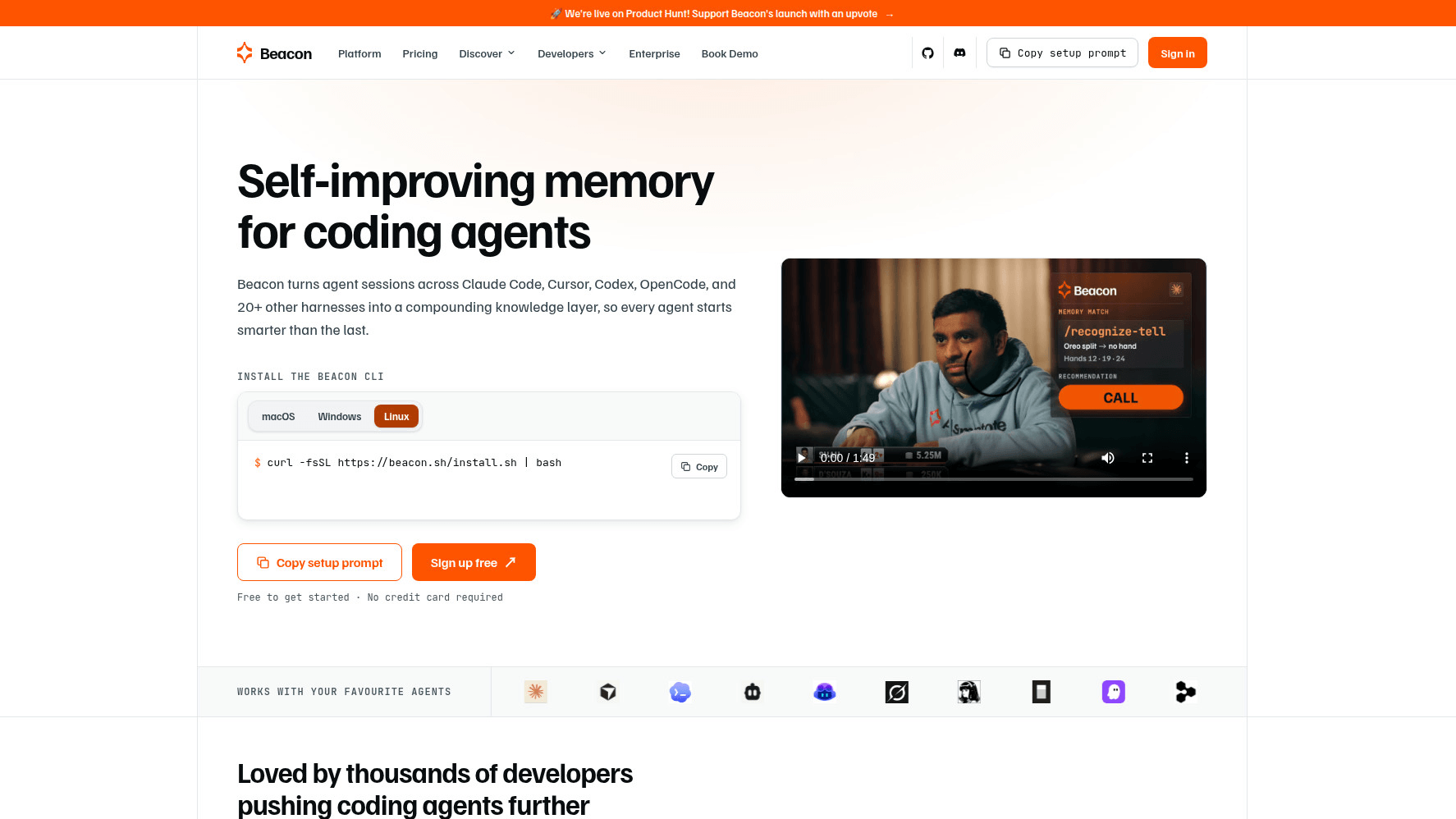
Every developer who uses AI coding agents knows the feeling. You teach Claude Code how your project works on Monday, switch to Cursor on Tuesday, and start from zero again. Beacon promises to end that loop: a memory layer that records your agent sessions across 20-plus coding tools and turns what they learned into reusable skills. I signed up for the free plan on 13 November 2026 to test it. Here is the honest result: the idea is strong, the pricing is clear, and I could not use the product at all without installing software on my own machine. That single fact shapes everything in this review.
Beacon launched on Product Hunt on 2 November 2026 and finished #1 Product of the Day and #1 of the Week, backed by a $5.5 million seed round. The open-source project behind it dates to May 2026. I signed up with an email address, no card, no phone number, and landed in a free cloud account in minutes. Then every page I opened showed the same thing: a three-step setup dialog I could not close, asking me to install a local endpoint before anything else would work. No sample data, no demo mode, no way to see what Beacon finds until a device is connected. I verified the empty dashboard, the pricing, and the terms. I did not get to verify the memory itself, because the free cloud account never shows you any.
What Is Beacon?
Beacon is an open-source, self-improving memory layer for AI coding agents, built by Asymptote Labs in New York. Its founders, Justin D’Souza and Shukan Shah, previously built detection systems and agentic security tools at Doppel. It captures session history from Claude Code, Cursor, Codex, OpenCode, Cline, Copilot CLI, Devin and more than 20 other coding harnesses, normalizes everything into one OpenTelemetry-based event model, and then turns useful lessons into skills that a human reviews once before they ship.
The workflow is explicit: run your agents, capture the history, evaluate what worked, extract the useful knowledge, approve it, and reuse it later through MCP or Agent Skills. A session recorded in Claude Code becomes context that Cursor or Codex can search the next day. The local side is open source under the MIT licence, and it writes durable JSONL files on your machine by default, only forwarding data to the cloud after you confirm the destination. That local-first design is the best thing about the product on paper. The cloud side adds a shared timeline, a findings layer that flags risks like leaked secrets, and skills drafted from repeated workflows.
Do not confuse it with two other products called Beacon. Beacons.ai is a link-in-bio tool, and Change Agents sells a Beacon search-visibility platform for small businesses. This review is about beacon.sh only.
Hands-On Test: How Beacon Actually Performed
In line with our editorial testing policy, I signed up at beacon.sh/sign-up with an email address and a password, ticked the terms box, and clicked the verification link that arrived within a minute. No card, no phone number, no ID check. I landed signed in on the Sessions page, on the free plan, and the numbers were all zero: total spend $0.00, total sessions 0, devices 0, needs review 0.
Then I hit the wall. Every dashboard page I opened, Sessions, Findings, Skills, Token Usage, Settings and Billing, showed the same mandatory three-step dialog, and it has no close button. Pressing Escape did nothing, clicking the backdrop did nothing. Step 1 tells you to copy a prompt into your coding agent (“Read https://beacon.sh/start.md then set me up on Beacon”) or install the CLI yourself: curl on Linux, Homebrew on macOS, a PowerShell script on Windows. Step 2 waits for a device to come online. Step 3, which I only ever saw described, adds the Beacon Cloud MCP server to your agents. I did not install anything, because this test covers the cloud account as a reader would meet it, and a reader who only wants the web app should know what they get.

What I could verify was the empty shell behind that dialog. The Sessions page has a real search box, filters for devices, harnesses, models, severity, category and repositories, and columns for session ID, risk, harness, prompt, activity, start, end, duration and last event. The result was “No sessions match these filters.” The Findings page showed 0 findings, “Not analyzed yet. Nothing needs review. New findings appear here after the hourly analysis.” The Skills page showed 0 skills, and creating one is marked Pro anyway. The Settings page and a dedicated MCP Access page would not open as standalone pages at all; their routes fell back to the Sessions page behind the same dialog.

So the honest summary of my test is this: I verified sign-up, the empty dashboard, the install gate, and the pricing. I did not verify a single session, finding, memory or skill, because the product never produced one without a local install, and it offers no sample or demo data to explore first. That is not a failure of my test. It is the product’s design, and it is the most important thing a reader should know before signing up.
Free Plan vs. Real Pricing (And Hidden Limits)
The free plan, Beacon Cloud, costs $0 forever: 1 team member, 1 connected machine or device, 50 findings, MCP session search only, no memories, no skills pulled by agents, no evidence trail, daily digest alerts only, and community support. Read that list again, because the headline features are not in it. Memories that agents save for themselves, and skills generated and pulled by agents, both live in Pro.
Pro is $20 a month billed monthly, or $15 a month billed annually, a 25 percent saving. It adds unlimited findings, full MCP search across sessions, findings and feedback, memories agents can save and recall over MCP, skills generated and pulled by agents, a full evidence trail on every finding, real-time alerts and priority support. Team is $30 per seat a month plus a $10 a month base fee, up to 20 seats, with shared workspaces, Slack alerts, API keys, self-hosting and a 99 percent uptime SLA. Enterprise is custom, up to 1,000 seats, with SSO, redaction control, audit logs and a 99.99 percent SLA.
| Plan | Price | Findings | Memories | Skills | MCP access |
|---|---|---|---|---|---|
| Free | $0 forever | 50 | No | No | Session search only |
| Pro | $20/month, $15 annual | Unlimited | Yes | Yes | Full |
| Team | $30/seat/month plus $10 base | Unlimited | Yes | Yes | Full |
| Enterprise | Custom | Custom | Yes | Yes | Full |

Two pricing conflicts are worth flagging, because I found both on Beacon’s own pages. The Team card says $30 per seat a month, but the comparison table on the same pricing page lists $40 per seat a month. And the in-app billing page describes Pro as “$20/month, Billed annually”, while the pricing page annual toggle shows $15 a month. I am reporting both figures as I found them; check the live page before you pay. Paid plans auto-renew, billed in advance, and fees are non-refundable under Terms of Service v3.0, last updated 15 October 2026.
There is no watermark concept here, since the output is memory and skills, not media. The terms deserve a closer read than most. Section 4.5 says Beacon may use session content for research and model training by default unless you opt out within 30 days, with content retained for a year plus a one-year tail. Detected secrets are excluded from research and training datasets. A metadata-only mode or local self-hosted use sends no agent activity to Beacon at all, and the opt-out is stated to be in settings, a page I could not reach in my test to verify the toggle. The terms also include binding individual arbitration with a jury-trial and class-action waiver, with a 30-day opt-out. No promo code, launch discount or student deal turned up on the homepage, the pricing page or the Product Hunt launch page.
Pros
- Genuinely good idea: cross-harness memory is a real pain, and a session recorded in one agent becoming context in another is worth wanting.
- Open source and local-first: MIT licence, JSONL on your own machine, and a Local opt-out so you can keep data off the cloud entirely.
- Human review step: skills are drafts a person approves, not automatic ground truth, which is the right design for memory.
- Clear free plan: $0 forever, no card, and the limits are spelled out on the pricing page.
- Real backing: a $5.5 million seed round and a #1 Product Hunt launch give it more weight than a weekend project.
Cons
- Cloud account shows nothing without a local install: mandatory setup dialog with no close button and no sample data, so the web app alone is unusable.
- Headline features are Pro-only: agent-saved memories and skills live behind $20 a month, not in the free tier.
- Training opt-out by default: session content may be used for research and model training unless you opt out within 30 days.
- Pricing conflicts: Team is $30 a seat on the card and $40 in the comparison table, and Pro shows $20 billed annually in-app against $15 on the pricing page.
- No proof it saves anything: no published benchmarks quantify token or cost savings, and capture is uneven across harnesses.
What Real Users Are Saying
There is very little independent user evidence to report, and I will not dress that up. I checked G2, Trustpilot, Reddit and Hacker News on 13 November 2026 and found no independent customer reviews for Beacon. Product Hunt shows a 5.0 rating from a single review, alongside a handful of launch comments, and the maker used the thread to announce that a Team plan had just shipped. The creators introduced the project on Hacker News on 21 October 2026, describing the frustration of re-explaining work when switching between Claude Code, Codex and Cursor, but that thread is a launch post, not a user verdict.
Third-party write-ups are cautious in the same direction. One lab review scored it 6.6 out of 10, worth a trial with conditions, and noted that Pro is the tier to judge because agent-saved memory lives there, and that no one has published numbers on what any of it saves. Other write-ups praise the local-first design and the review step, and warn that capture is uneven across harnesses, Codex does not report file activity and Cursor does not report tokens, and that traces can contain secrets, so Local mode is recommended for sensitive work. Nobody I found has published a complaint about billing or refunds. The product is too new for that kind of evidence, and the honest read is that the praise so far is for the idea, not for measured results.
Who Should Use Beacon (And Who Should Skip It)
Beacon is worth a look if you switch between coding agents every day, you are comfortable installing a local endpoint, and you are willing to pay $20 a month for the tier where memory actually lives. The local-first, open-source design will appeal to developers who want to inspect how their context is stored, and teams that share lessons across harnesses are the audience the Team plan is built for.
SniffPup Review
If you want automated security audits and repository dependency inspection, explore our SniffPup review.
Skip it if you want a web app you can try in the browser, because that is not what the free cloud account gives you. Skip it too if you need proof of savings before you pay, or if the default training use of session content bothers you and you do not want to chase an opt-out toggle. A simpler alternative is native harness memory, your agent’s own rules and memory files, which costs nothing and which you fully control, and which only loses when the same lessons must survive a switch between agents. That switch is exactly Beacon’s pitch, so the question is whether you switch often enough to pay for it.
Frequently Asked Questions
Is Beacon really free?
Yes, the Beacon Cloud free plan costs $0 forever and needs no card. It includes 1 team member, 1 device and 50 findings, but no agent-saved memories or skills, and the dashboard cannot be used until you install a local endpoint.
Does Beacon add a watermark on the free plan?
No. There is no watermark, since the output is agent memory and skills, not media. The free limits are 50 findings, 1 device, session-search-only MCP, and no memories or skills.
How much does Beacon cost per month?
Free is $0 forever, Pro is $20 a month billed monthly or $15 a month billed annually, and Team is $30 per seat a month plus a $10 a month base fee. Enterprise is custom pricing.
Can you use Beacon creations commercially?
Yes. The free and paid plans cover commercial use, and the core software is MIT licensed. Note the terms: session content may be used for research and model training by default unless you opt out within 30 days.